Many people assume YouTube pays a set amount for every view. It doesn't. YouTube pays you a share of the money advertisers spend on the ads shown with your videos.
That's why the honest answer to "how much does YouTube pay per 1000 views" is a range. Long videos often earn about $0.30 to $10 or more per 1,000 views. Shorts often earn just $0.02 to $0.10.
The number you're looking for is called RPM, short for revenue per mille. "Mille" is Latin for thousand. RPM is what you keep for every 1,000 views after YouTube takes its share, with views that showed no ad counted in.
To see a range for your own channel, enter your daily views, niche and audience into our free YouTube Money Calculator. It works in your browser and needs no sign-up.
Keep one thing in mind as you read. Every figure online, ours included, is an estimate and not a promise. The safe way to plan is with a low-to-high range, which you then check against your own data once YouTube starts paying you.
How much does YouTube pay per 1000 views? The short answer
For long videos, most channels earn somewhere between about $0.30 and $10 or more per 1,000 views. Finance and tech channels with US viewers usually earn the most. Your exact spot in that range depends on your topic, where your viewers live and the time of year.
Why there's no fixed rate per view
Advertisers pay to show ads, and YouTube shares that ad money with creators. A view that shows no ad earns nothing from ads. Ad prices also change with the topic, the viewer's country and the season.
For example, two channels can each get 50,000 views in March and still end the month with very different earnings. One may cover personal finance for US viewers, and the other may post comedy clips watched around the world.
Why different websites quote different numbers
You'll find many ranges online, and they rarely match. Usually that's because they measure different things. Some quote pay per 1,000 ad views, which is higher. Others quote pay per 1,000 video views, which is lower.
Here's a real case. Hootsuite estimates about $5 to $15 per 1,000 ad views in 2026, and notes this is an industry estimate, not a YouTube rate. It assumes only about 50% to 65% of views show an ad, so pay per 1,000 video views ends up lower.
Creator-reported ranges vary too. Some sites say $1 to $10, others $2 to $12 or $3 to $5. Before you compare two numbers, check what each one counts, and plan with a range instead of a single figure.
YouTube RPM vs CPM: what advertisers pay vs what you keep
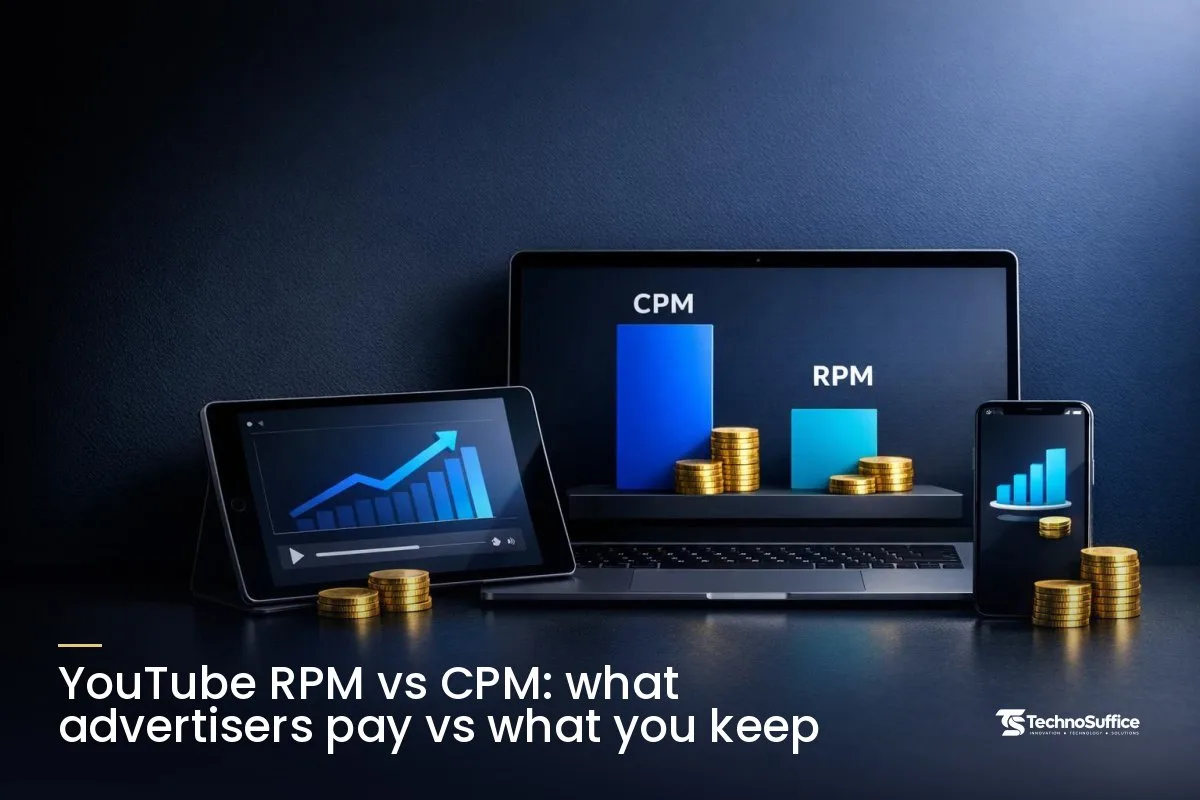
CPM (cost per mille) is what advertisers pay for 1,000 ad showings. RPM is what you earn per 1,000 video views after YouTube's share. That's why RPM is always lower than CPM.
The 55/45 split on long videos
On long videos, the creator keeps 55% of ad revenue and YouTube keeps 45%. Shopify's YouTube CPM guide gives a clear example. At 100,000 ad views and a $7 CPM, advertisers pay $700. YouTube keeps $315 and the creator gets $385.
Notice that this example counts ad views, not total video views. If some of your views showed no ad, your real take-home from 100,000 views would be lower.
| Measure | What it counts | Before or after YouTube's cut? | Includes views with no ads? |
|---|---|---|---|
| CPM | What advertisers pay per 1,000 ad showings | Before | No |
| RPM (long videos) | What you earn per 1,000 video views | After (you keep 55% of ad revenue) | Yes |
| Shorts RPM | What you earn per 1,000 Shorts views from the shared Creator Pool | After (you keep 45% of your share) | Yes |
Why your RPM is always lower than your CPM
There are two reasons. First, RPM is counted after YouTube takes its share. Second, RPM is spread across all your views, including the ones where no ad played.
A view with no ad still counts in the RPM math, so it pulls your average down. If you treat CPM as your take-home pay, you'll overestimate your income every time.
The YouTube earnings formula, with worked examples
The simplest YouTube earnings formula is: Earnings = RPM × views ÷ 1,000. If you only know your CPM, you can turn it into a rough RPM first.
Earnings = RPM × views ÷ 1,000
Say your RPM is $4 and a video gets 50,000 views. That's $4 × 50,000 ÷ 1,000 = $200. RPM already includes YouTube's share and the views without ads, so you don't subtract anything else.
You can also work backward to find your RPM: RPM = (revenue ÷ views) × 1,000. If you earned $55 from 10,000 views, your RPM is $55 ÷ 10,000 × 1,000 = $5.50.
From CPM to RPM
Use this quick conversion: RPM ≈ CPM × 0.55 × share of views that show an ad. With a $10 CPM and an ad on every view, you'd get about $5.50.
Now say only half your views show an ad. The same $10 CPM drops to about $2.75 RPM. That gap is the most common reason early income plans turn out too high.
How much does YouTube pay for 100K views?
At 100,000 views, long videos usually earn about $30 to $1,000 or more, and Shorts usually earn about $2 to $10. We worked these out ourselves using the typical ranges from our calculator.
If you use the narrower creator-reported range of $1 to $10 RPM, 100,000 long-video views come to about $100 to $1,000. Either way, the table below shows how wide the spread is.
| Video type and RPM | 10,000 views | 100,000 views | 1,000,000 views |
|---|---|---|---|
| Long video, low RPM ($0.30) | $3 | $30 | $300 |
| Long video, middle RPM ($5) | $50 | $500 | $5,000 |
| Long video, high RPM ($10) | $100 | $1,000 | $10,000 |
| Shorts, low RPM ($0.02) | $0.20 | $2 | $20 |
| Shorts, high RPM ($0.10) | $1 | $10 | $100 |
Look at the gap between the rows. The same 100,000 views can earn $30 or $1,000, which is why a single "per view" number can mislead you.
How YouTube Shorts pay works
Shorts don't earn from ads on each video. Instead, Shorts ad money goes into a shared Creator Pool. YouTube then splits that pool based on each creator's share of engaged views, country by country.
The YouTube Help page on Shorts monetization gives a simple example: if you have 1% of the engaged views, you get 1% of the pool. You then keep 45% of the revenue assigned to you, whether or not you use music.
YouTube doesn't publish official Shorts RPM figures. Our calculator uses a typical range of $0.02 to $0.10 per 1,000 views. Some third-party trackers report even lower numbers, roughly $0.01 to $0.06, so a cautious plan should lean toward the low end.
10 things that decide how much YouTube pays you
Your pay depends mostly on your topic, where your viewers live and the type of video you make. You control some of these and not others, so it helps to know which is which before you spend time on changes.
1. Your channel's niche
Your niche is your channel's main topic, like finance, tech or gaming. Finance and tech channels with US viewers tend to earn the most, because advertisers in those topics pay more to reach buyers.
For example, a US tech review channel and a general entertainment channel with the same 100,000 views can land at very different points in the $0.30 to $10+ range. The tech channel will usually sit nearer the top.
2. Where your viewers live
Ad prices depend on the viewer's country. Advertisers pay different amounts in different markets, and US viewers are among the most valuable.
That means a channel with a mostly US audience will often earn more per 1,000 views than one with the same views spread across lower-paying countries. Our calculator asks for your main audience for exactly this reason.
3. Long video or Short
Shorts pay much less per 1,000 views because their money comes from a shared pool. Long videos earn from the ads shown on that video.
Based on the ranges above, 1 million Shorts views might earn about $20 to $100. The same 1 million views on long videos could earn anywhere from a few hundred to several thousand dollars.
4. Video length and mid-roll ads
Mid-roll ads are ads that play in the middle of a video. Longer videos can carry them, which adds more ad slots to each view.
Our honest view: don't stretch a video with filler just to fit more ads. Viewers leave when a video drags, and lost watch time can cost you more than the extra ad earns.
5. How many views actually show an ad
Not every view shows an ad. Some viewers watch without ads, and some videos don't get an ad every time.
The fewer views with ads, the lower your RPM, even when your CPM looks good. This is one factor you can't control much, so build it into your estimates instead of hoping it improves.
6. Advertiser-friendly content
Advertiser-friendly content is content that brands feel safe appearing next to. Videos that aren't may get fewer ads or none at all.
For example, a clean cooking tutorial will usually get full ads. A video with heavy swearing or shocking images may earn far less from the same number of views.
7. Time of year
Advertisers don't spend the same amount every month, so RPM moves with the season. A slow month isn't always your fault.
Compare each month with the same month last year rather than with your best month ever. That gives you a fairer picture and saves you from changing a strategy that's working.
8. Watch time
Watch time is the total hours people spend watching your videos. More watch time means more chances for ads to play, and it also counts toward joining the YouTube Partner Program.
Better titles, stronger openings and a steady upload plan all help. A simple social media content calendar makes regular uploads easier to keep up.
9. Music in your Shorts
Music changes how much of a Short's revenue reaches the Creator Pool. According to a third-party summary of the policy, a Short with no music sends all its revenue to the pool. With one licensed track, about half goes to the pool, and with two tracks about a third.
Your own cut of what reaches you stays at 45% either way. If Shorts are a big part of your channel, it's worth testing some videos with original audio and comparing the results.
10. Income outside YouTube ads
Sponsorships and affiliate links pay you directly, not through YouTube's RPM. A brand might pay you to mention its product, or you might earn a cut when viewers buy through your link. For many channels, ad money is the floor, not the ceiling.
Brands look at engagement before they sponsor a creator. Check yours with our free Engagement Rate Calculator and learn the math in our engagement rate formula guide.
How to choose where to focus first
Start with the factors that move your pay the most and that you can actually change. The table below groups all ten by effect and control. The "effect" column is our general guidance, not a measured result.
| Factor | Effect on pay | How much you control it |
|---|---|---|
| 1. Niche | Big | Medium (hard to switch later) |
| 2. Viewer country | Big | Low to medium (language and topic help) |
| 3. Long video or Short | Big | High |
| 10. Sponsors and affiliate links | Big | High |
| 4. Length and mid-roll ads | Medium | High |
| 8. Watch time | Medium | High |
| 6. Advertiser-friendly content | Medium | High |
| 9. Music in Shorts | Small to medium (Shorts only) | High |
| 5. Share of views with ads | Medium | Low |
| 7. Time of year | Small to medium | None |
If you're just starting, the safest bets are the "High control" rows. You can choose your video format, keep your content brand-safe and build watch time from your very first upload.
YouTube Partner Program requirements
You can't earn ad money from YouTube until you join the YouTube Partner Program (YPP). There are two tiers, and only the higher one includes ad revenue sharing. The figures below come from the official YouTube Help: YouTube Partner Program overview.
| Tier | Subscribers | Other requirements | What it opens |
|---|---|---|---|
| Expanded tier (eligible countries) | 500 | 3 valid public uploads in 90 days, plus 3,000 qualified watch hours in 12 months or 3 million qualified Shorts views in 90 days | Fan funding and Shopping features (no ad revenue sharing) |
| Full tier (current) | 1,000 | 4,000 qualified watch hours in 12 months or 10 million qualified public Shorts views in 90 days | Ad revenue sharing |
| Full tier, new applicants from Feb 1, 2027 (reported) | 1,000 | 8,000 qualified watch hours in 365 days or 20 million qualified Shorts views in 90 days | Ad revenue sharing |
One detail trips people up. Watch hours from the Shorts feed don't count toward the 4,000 public watch hours, so the long-video path and the Shorts path stay separate.
Changes reported for February 1, 2027
YouTube announced on August 10, 2026, that the entry bar will double for new applicants from February 1, 2027, according to Tech Times. New channels will need 1,000 subscribers plus either 8,000 watch hours in 365 days or 20 million Shorts views in 90 days.
Existing partners aren't affected by the new entry bar. It's also reported that, from the same date, channels earning from Shorts will need 10 million qualified Shorts views in the prior 90 days to join the Creator Pool. These details come from news reports, so check YouTube Help for the final wording before you plan around them.
How to estimate your earnings with our YouTube Money Calculator
Our free online tool turns the formulas above into a quick range. Here's how to use it step-by-step:
- Open the YouTube Money Calculator.
- Enter your average daily views.
- Pick your channel's niche.
- Pick your main audience, meaning the country most of your viewers come from.
- Choose Long videos or Shorts.
- If you already see your RPM in YouTube Studio, select "I know my RPM" and type it in.
- Read the low, average and high estimates per day, month and year.
The tool also shows other currencies if you don't earn in US dollars. Its reverse mode works the other way: set a monthly income goal, and it shows roughly how many views you'd need. Everything runs in your browser, so there's nothing to install.
Frequently asked questions
How much does YouTube pay per 1,000 views on Shorts?
Our calculator uses a typical range of $0.02 to $0.10 per 1,000 Shorts views. YouTube doesn't publish official Shorts RPM figures, and some third-party trackers report lower numbers, so plan with the low end.
Does YouTube pay me before I join the Partner Program?
No, not for ads. Ad revenue sharing is part of the 1,000-subscriber tier of the YouTube Partner Program. The 500-subscriber tier opens fan funding and Shopping features, but not ad money.
How many views do I need to earn $1,000 a month?
It depends on your RPM. Using the formula, an RPM of $5 needs about 200,000 views a month, while an RPM of $1 needs about 1 million. Use the reverse mode in our calculator to try your own numbers.
Why is my RPM lower than my CPM?
RPM is counted after YouTube takes its share, and it includes views that showed no ad. Both of those pull it below CPM, which is what advertisers pay before any split.
Will the 2027 YouTube Partner Program changes affect my channel?
If you're already in the program, the reported changes to the entry bar don't apply to you. If you apply on or after February 1, 2027, you'll need the higher watch-hour or Shorts-view totals. Shorts earners may also face the reported 90-day Shorts view requirement for the Creator Pool.
Is the YouTube Money Calculator free?
Yes. It's one of our free online tools, with no sign-up, and it works in your browser. Like every estimate, its results are a planning range, not a promise of income.
If your channel is turning into a business and you need a fast-loading website, a custom web app or social media support, our team works with clients worldwide. Request a Free Quote and we'll start with a free consultation about your goals.
Ready to see your own numbers? Try the free YouTube Money Calculator and get your low, average and high range in under a minute.