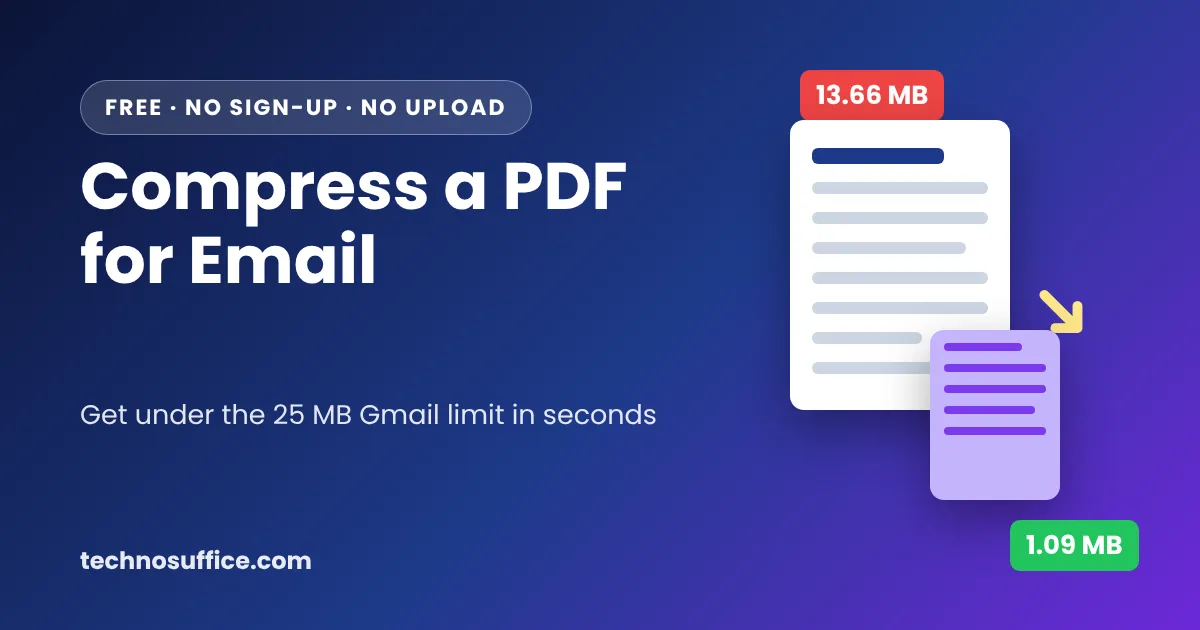
To compress a PDF for email, open a free PDF compressor, pick a compression level and download the smaller copy. Then attach that copy instead of the original. Most email services stop you at 20–25 MB, and for scanned files a few seconds of compression usually gets you far below that.
Below are the exact steps I used on our free tool, the sizes I got, and what to do when the file still won't shrink.
How Big Can an Email Attachment Be?
Every email service sets its own limit. The limit usually counts the whole message, not just the PDF. So a 24 MB file can still fail in Gmail once you add a long email body or a second file.
| Email service | Size limit | What happens if you go over |
|---|---|---|
| Gmail (personal) | 25 MB | Gmail turns the file into a Google Drive link |
| Outlook.com | 20 MB | You get an error, or Outlook offers to share it from OneDrive |
| Work email (Microsoft Exchange) | 10 MB by default | Your IT team can change this number |
| Work or school Gmail (Google Workspace) | Set by your admin | Ask your IT team |
You can check these numbers yourself on Google's Gmail help page and Microsoft's page on sending large files with Outlook.
The person receiving the file matters too. Many company inboxes reject anything over 10 MB, even if you send from Gmail. If you're emailing a lender, an HR office or a county clerk, aim for under 10 MB to be safe. Some online forms are even stricter and want 1 MB or less.
How to Compress a PDF for Email with Our Free Tool
Our free Compress PDF tool works in your web browser. Your file is not uploaded to a server, which is a big plus for leases, tax forms and medical papers. There's no sign-up and no watermark.
I tested it with a 6-page scanned rental lease. The original file was 13.66 MB. Here's what I did.
Step 1: Add your PDF
Go to the Compress PDF page. Drag your file onto the box that says "Drop a PDF here", or click browse and pick it. The tool shows the file name, the page count and the size. Mine said "lease_scan.pdf · 6 pages · 13.66 MB".
Step 2: Pick a compression level
You'll see three buttons:
- Strong (Smallest file · 72 DPI)
- Recommended (Good quality · 120 DPI)
- Light (High quality · 170 DPI)
DPI means "dots per inch". It tells you how much detail each page keeps. A higher number gives a sharper page and a bigger file. Recommended is already selected, and it's the right choice for most emails.
There's also a Black & white (even smaller) box. Tick it only if color doesn't matter.
Step 3: Click Compress PDF and check the new size
Click the blue Compress PDF button. My 6-page file took about 6 seconds. The tool then shows the original size, the new size and the percent saved. It also tells you which common limit you're now under, like "Now under 2 MB".
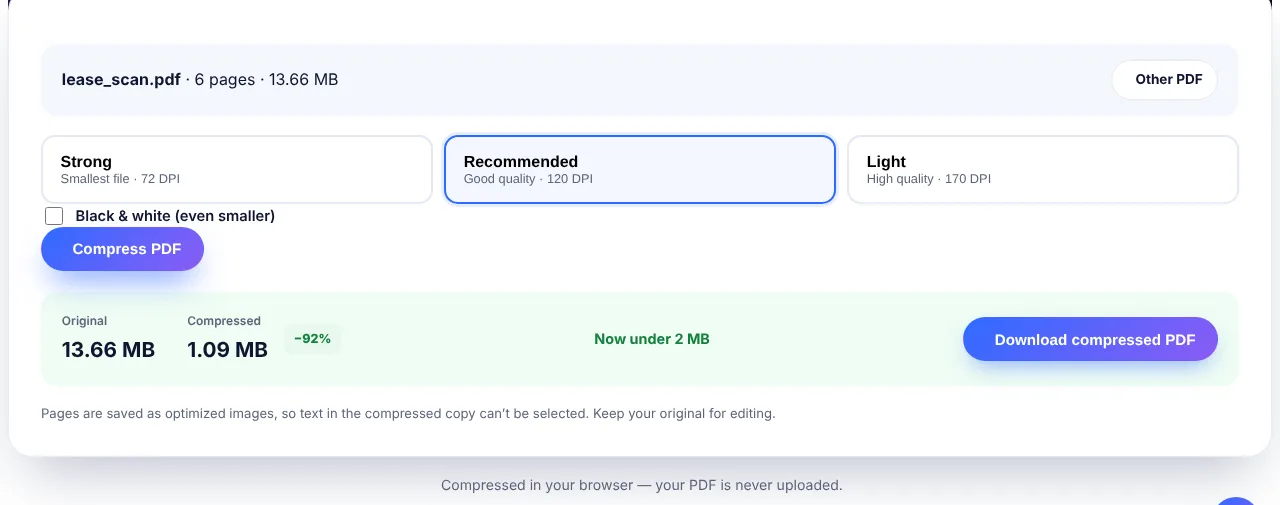 My test: a 13.66 MB scanned lease dropped to 1.09 MB with the Recommended level.
Step 4: Download and attach
Click Download compressed PDF. Open the new file once and scroll through it before you send it. Then attach it to your email like any other file.
What I Got at Each Level
I ran the same 13.66 MB lease through all three levels. These are the real results from the live tool:
| Level | New size | Smaller by | How it looked | Good for |
|---|---|---|---|---|
| Light (170 DPI) | 2.77 MB | 80% | Almost the same as the original | Contracts you may print, photos, plans |
| Recommended (120 DPI) | 1.09 MB | 92% | Clear and easy to read on screen | Most email attachments |
| Strong (72 DPI) | 390 KB | 97% | Readable, but small text looked a bit fuzzy when I zoomed in | Upload forms with a 500 KB or 1 MB limit |
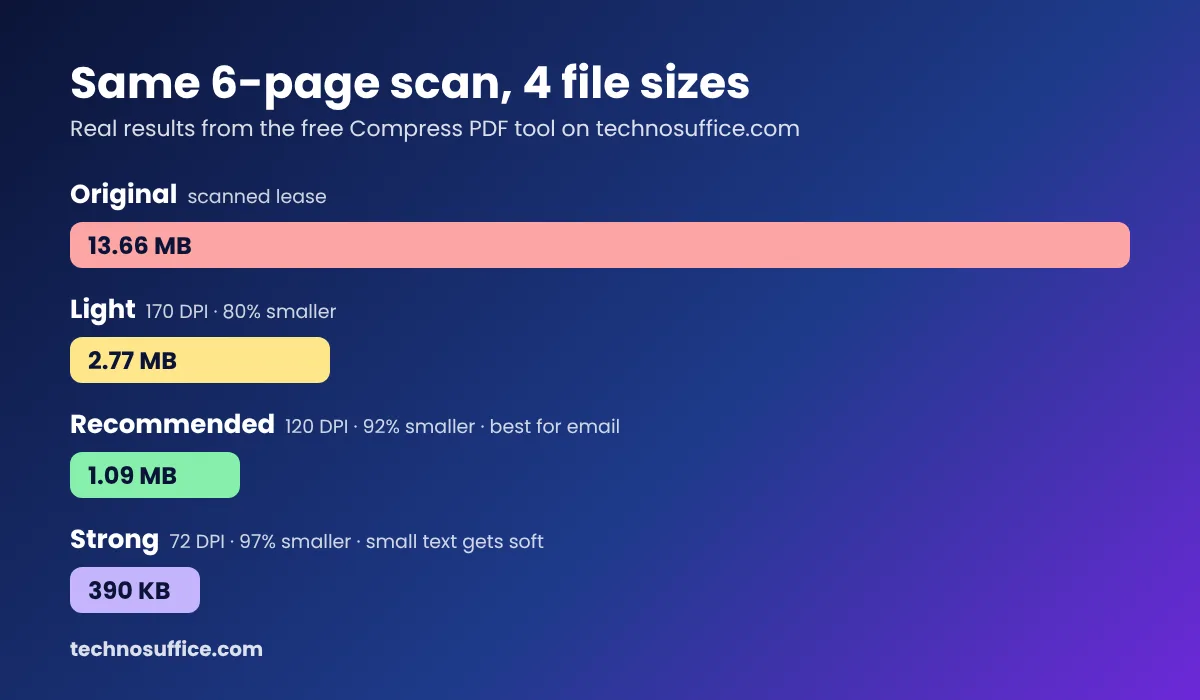 Same 6-page scan, three levels. Pick the lightest level that gets you under your limit.
My advice: start with Recommended. Only switch to Strong if a form gives you a tiny limit. Fine print, like the small text at the bottom of a contract, is the first thing to get blurry.
If you need to turn MB into KB for a form, our MB to KB converter does the math for you.
One Big Limit You Should Know About
This tool saves each page as an image. That's why scans shrink so much. But it also means you can't select or search the text in the new copy.
For most emails, this is fine. The person only needs to read it. But if they need to copy text or fill in fields, send the original or use one of the other methods below.
Also, a PDF that was made from Word and has only text is usually already small. I tried a 2-page text-only file of 3 KB. The tool told me "This PDF is already well optimized" and suggested I keep the original. I like that it says so instead of handing me a bigger file.
Other Free Ways to Make a PDF Smaller
On a Mac: use Preview
Open the PDF in Preview. Go to File > Export (not "Export as PDF"). In the Quartz Filter menu, choose Reduce File Size, then save. It's built in and free. The downside is that you can't pick the quality, and images can come out very soft.
From Word: save with the smaller option
If the PDF starts as a Word file, go to File > Save As and choose PDF. On Windows, select Minimize size (publishing online) before you save. This keeps the text selectable. Microsoft explains the options on its save as PDF help page.
Shrink the photos before you make the PDF
Say you're a realtor turning 20 listing photos into one PDF. Phone photos are often 3–5 MB each, so the PDF gets huge fast. Run the photos through our image compressor first. Then join them with JPG to PDF. The result is smaller and still sharp.
Split it into two emails
A 200-page manual may still be too big after compression. Use Split PDF to break it into parts. Send part 1 and part 2 in separate emails, and say so in the subject line.
Send a link instead
Google Drive, OneDrive and Dropbox let you share a link instead of a file. This is the best choice for very large files. Just check the sharing setting so the other person can open it.
Which Method Should You Use?
| Your situation | Best option |
|---|---|
| Scanned papers (lease, tax forms, IDs) | Compress PDF tool, Recommended level |
| Upload form with a 1 MB or 500 KB limit | Compress PDF tool, Strong level |
| Text-only PDF that needs selectable text | Re-save from Word with "Minimize size" |
| Many photos in one PDF | Compress the images first, then make the PDF |
| Still too big after compressing | Split the PDF, or share a cloud link |
Common Mistakes When Compressing PDFs
- Deleting the original. Always keep it. You may need the full-quality or editable version later.
- Going straight to the smallest setting. A student emailing a scanned essay to a teacher doesn't need 390 KB. A blurry file can get sent back.
- Not opening the file before sending. Zoom in on signatures, numbers and small print. These are what people check.
- Zipping the PDF. A ZIP file barely makes a PDF smaller, and some company email systems block ZIP attachments.
- Uploading private files to random websites. Read where the file goes. Our tool runs in your browser, so the PDF stays on your computer.
Frequently Asked Questions
How do I compress a PDF for email for free?
Open a free online compressor like our Compress PDF tool, add your file, choose Recommended and click Compress PDF. Download the new file and attach it to your email. It takes less than a minute for most files.
Why is my PDF too large to email?
The usual reason is images. Scanned pages and phone photos are saved as large pictures inside the PDF. A single scanned page can be more than 2 MB. Text-only PDFs are almost always small.
Will compressing a PDF lower the quality?
A little, yes. Light and Recommended keep pages clear for reading and normal printing. Strong makes small text softer. Look at the file before you send it, and keep the original.
What is the Gmail attachment size limit?
For personal Gmail accounts, it's 25 MB. If you go over it, Gmail adds the file as a Google Drive link instead. Work and school accounts can have different limits set by the admin.
Can I compress a PDF on my iPhone or Android phone?
Yes. Our tool works in a phone browser like Safari or Chrome. Open the Compress PDF page, tap browse, and pick the file from your Files app or downloads. Large files may take a little longer on an older phone.
Is it safe to compress private documents online?
It depends on the site. Many tools upload your file to their servers. Ours does the work inside your browser, so the PDF is never uploaded. That makes it a better fit for bank statements, IDs and contracts.
Wrapping Up
For most people, the fastest fix is simple: compress the PDF at the Recommended level and attach the new copy. My 13.66 MB scan went to 1.09 MB in about 6 seconds, which fits any inbox. If the text must stay selectable, re-save from Word. If the file is still huge, split it or send a link.
Try the free Compress PDF tool on your next attachment. And if your business is tired of emailing PDFs back and forth, our team can build simple online forms and portals instead. See our web development services.