
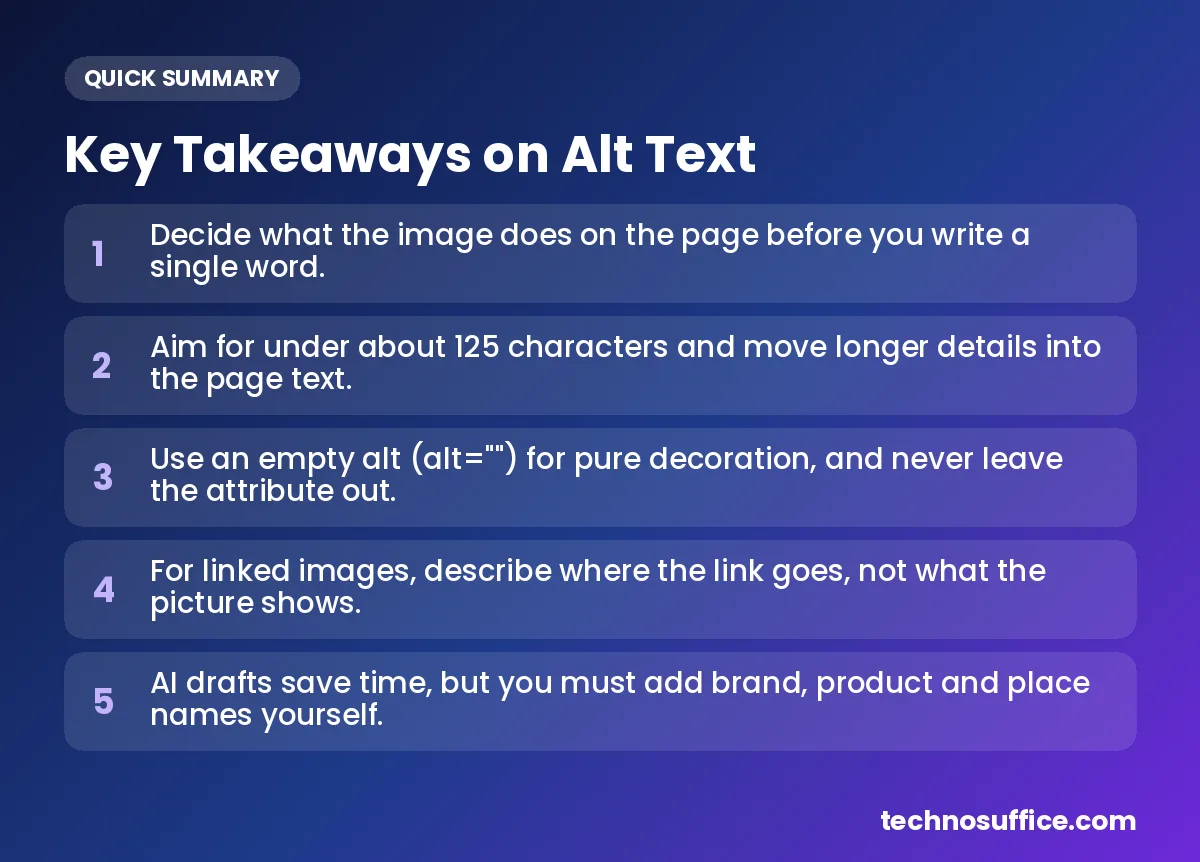
The short answer to how to write alt text for images: decide what the picture does on the page, then describe what matters in one short sentence. Skip "image of," end with a period, and keep it under about 125 characters. If the picture is only there for looks, leave the alt text empty with alt="".
That covers most images. The rest of this article shows you how to handle the tricky ones, like logos that link to your home page, charts and product photos.
If you have a lot of images to describe, our free AI Image Caption & Alt Text Generator can write a first draft for each one. It runs in your browser, so your images are never uploaded. You'll still need to edit the drafts, and we'll show you exactly what to change.
| Question | Quick answer |
|---|---|
| What is alt text? | A short written description of an image, stored in the page code. |
| How long should it be? | Aim for under about 125 characters. Put extra details in the page text. |
| Start with "image of"? | No. Screen readers already say it's an image. |
| Decorative images? | Use an empty alt: alt="". |
| Linked images and buttons? | Say where the link goes or what the button does. |
| Charts and infographics? | A short alt, plus the full details in the page text. |
| Keywords? | Only if they fit naturally. Never stuff them in. |
What Is Alt Text (and Why Should You Care)?
Alt text in one sentence, with the HTML
Alt text is a short description you add to a picture in the page code. It goes inside the <img> tag, which is the bit of HTML that puts a picture on a web page. Here's what it looks like:
<img src="lemon-cupcakes.jpg" alt="Six lemon cupcakes with yellow frosting on a white plate.">
People often call it an "alt tag." Strictly speaking, alt is an attribute, which just means a setting inside the image tag. Both names mean the same thing, so don't worry about the label.
Who reads it: screen readers and search engines
Alt text has a few readers you never see. The first is a screen reader, software that reads a web page out loud for people who can't see the screen well. JAWS and VoiceOver are two common examples. When the screen reader reaches your picture, it reads your alt text aloud.
Search engines read it too. Google's image SEO best practices call alt text the most important attribute for giving more information about an image. Google also notes that it helps people with slow connections, because the text shows up when a picture fails to load.
How common missing alt text still is
Plenty of sites still skip it. The WebAIM Million 2026 report scanned the top one million home pages in February 2026. It found that 53.1% of home pages had images with missing alt text, down slightly from 55.5% in 2025. Across all home page images, 16.2% had no alt text at all.
The same report found that 45% of the images missing alt text were linked images. About one in four linked images had no alt text. That matters a lot, because a screen reader user can't tell where an unlabeled link goes.
How to Write Alt Text for Images: 5 Steps
1. Decide what the image is for
Before you type anything, ask what job the picture does on this page. The W3C, the group that sets web standards, publishes an alt text decision tree built around this question. Here's a simple version of it:
| Image type | What it means | What to write | Example alt value |
|---|---|---|---|
| Informative | Adds meaning, like a product photo or diagram | A short description of what matters | alt="Blue canvas tote bag with leather handles." |
| Functional | Does something, like a linked logo or search icon | What happens when you click it | alt="Search." |
| Decorative | Only makes the page look nice | Nothing | alt="" |
| Image of text | A picture with words in it, like a sale banner | The words that matter | alt="Fall sale: 20% off all candles this weekend." |
| Complex | A chart, map or infographic with lots of detail | A short summary, with full details in the page text | alt="Line chart of monthly sales. Details in the table below." |
The examples in this table are our own, made up to show the pattern.
2. Describe what matters in this page's context
The same photo can need different alt text on different pages. The W3C gives a nice example: a bird photo gets a brief description on a parks website, but a more detailed one on a site about birds. On the parks site, "a bird on a branch" may be enough. A bird site would name the species.
So ask yourself one question: if a reader couldn't see this picture, what would they miss? Write that, and leave out the rest.
3. Keep it short and skip "image of"
Screen readers already announce that something is an image. If your alt text starts with "image of," the listener hears "image" twice. The Nielsen Norman Group on alt text advises against starting with words like "image" or "photo" for this reason.
There's one exception. If the type of picture matters, say so. "Watercolor painting of the Golden Gate Bridge at sunset." is useful, because the fact that it's a painting is part of the meaning. The same goes for logos, illustrations and cartoons.
4. Add a keyword only if it fits
If the page is about wedding cakes and the photo shows a wedding cake, those words will show up naturally. That's fine. Writing "wedding cake best wedding cake Austin cheap cakes" is not. That's called keyword stuffing, which means cramming search words into text. It sounds terrible when read aloud, and it can look like spam to search engines.
5. End with a period and read it aloud
Nielsen Norman Group suggests ending alt text with a period. It makes the screen reader pause before moving on. Then read your alt text out loud. If it sounds odd or too long, cut it down.
 Key Takeaways on Alt Text
Alt Text Examples: Bad, Better, Best
These alt text examples use made-up US businesses. They're our own examples to show the difference, not data from a study.
| Image | Bad | Better | Best |
|---|---|---|---|
| Product photo on a bakery site in Austin | IMG_1234.jpg | Cake. | Three-tier white wedding cake topped with fresh strawberries. |
| Stock photo on a plumber's blog post | plumber plumbing plumber near me Denver | A van. | Plumber unloading pipe fittings from a white service van. |
| Linked logo in a site header | logo | Bright Bean Coffee logo. | Bright Bean Coffee home page. |
| Coffee shop menu board photo | menu | Our menu board. | Menu board: drip coffee, cold brew, oat milk latte. Full menu and prices listed below. |
| Chart in a blog post | chart | Website traffic chart. | Bar chart of monthly website visitors from January to June. Details in the table below. |
Product and stock photos
For products, name what a shopper cares about: color, material, style, and the product name if it's yours. For stock photos, connect the picture to your page. A generic "man at desk" says nothing. "Small business owner reviewing invoices on a laptop." fits a bookkeeping article much better.
Logos and linked images
This is where most sites go wrong, as the WebAIM numbers show. When an image is a link, describe where the link goes, not what the picture looks like. A logo that links to your home page should say "[Your business name] home page." Google also uses the alt text of a linked image the same way it uses link text.
Charts and infographics
A chart has too much detail for one short sentence. Give a brief alt that says what the chart is, then put the real numbers in a table or paragraph on the page. Google's own writing guide and the W3C both recommend this approach.
How Long Should Alt Text Be?
What sources say, and why there's no official limit
There is no official character limit in WCAG, the Web Content Accessibility Guidelines. Those are the international rules for making websites usable by people with disabilities. Advice from experts varies. Our tool page suggests keeping alt text under about 125 characters. Nielsen Norman Group says it shouldn't be much longer than about 150 characters.
The reason for keeping it short is practical. Nielsen Norman Group points out that screen reader users can't pause in the middle of alt text and pick up where they left off. They have to go back to the start. Long alt text is tiring to listen to.
Our practical rule: aim for under about 125 characters, which is usually one sentence. Two short sentences are fine when the picture really needs them.
When to move details into the page text
If you can't describe an image well in a sentence or two, it's probably a complex image. Write a short alt, then add the full explanation in the visible page text. Everyone benefits from that, not just screen reader users. Our free AI alt text generator keeps its drafts short, so it helps you start with the right length.
Alt Text for Decorative Images
What alt="" does
A decorative image adds nothing to the meaning of the page. Think of background swirls, divider lines, or a stock photo that only fills space. For these, use an empty alt attribute: alt="". This is also called a null alt. It tells screen readers to skip the picture, so listeners don't waste time on it.
Missing alt vs empty alt
These look similar but mean very different things. An empty alt is a choice you made on purpose. A missing alt attribute means nobody decided. Some screen readers then read out the file name, which is usually something like "IMG underscore 4471 dot jpg."
WebAIM treats this difference seriously. Its 2026 report counts a missing alt attribute as an error, but it does not count alt="" as missing. So always include the attribute, even when it's empty.
Quick test: would anyone miss the image?
Google's tech writing guide offers a simple test. If the page means the same thing without the image, use alt="". Also use it when the nearby text already says exactly what the picture shows, so the screen reader doesn't repeat itself.
Image Alt Text for SEO
What Google says it uses alt text for
Google says it uses alt text together with computer vision and the page content to understand an image. Computer vision is technology that lets a computer "look" at a picture. Good alt text gives Google the context its software can't see on its own, which helps your images show up in Google Images.
Keywords without stuffing
Google advises writing useful, information-rich alt text that uses keywords appropriately and fits the page. In plain terms, describe the picture honestly, and your topic words will appear where they belong. If you want help with keyword research and on-page work across your whole site, our SEO services team handles that every day.
File names, captions and page text work together
Alt text isn't the only text tied to an image. People mix these up often, so here's how they differ:
| Element | Who sees it | What it's for | Good example |
|---|---|---|---|
| Alt text | Screen reader users, search engines, anyone whose image fails to load | Replaces the image with words | Three-tier white wedding cake topped with fresh strawberries. |
| Caption | Everyone, shown under the image | Adds context or a story | Our most popular summer cake, made to order. |
| Title attribute | Mouse users, as a small tooltip in many browsers | Extra hint only; not a replacement for alt | Usually best left out |
| File name | Search engines and people who download the file | Names the file | white-strawberry-wedding-cake.jpg |
Don't copy your caption into the alt text. A screen reader would read the same words twice. And while you're working on images, keep them light. Big files slow pages down. Our free Image Compressor shrinks file size, and the Image Resizer cuts photos down to the size your page actually shows.
How to Use the Free AI Alt Text Generator
An AI alt text generator is useful when you have dozens of product photos or a full blog archive with no alt text. Here's how to use ours.
- Add images. Open the AI Image Caption & Alt Text Generator. Drag your pictures onto the box that says "Drop images here or click to choose," or click it to pick files. You can also paste an image with Ctrl + V. It accepts JPG, PNG and WebP files, and you can add several at once.
- Wait for the AI description. The first time, you'll see "AI model not loaded yet" and a progress bar. The vision AI downloads once, then it's saved in your browser. After that, new images are described much faster.
- Edit, then copy or export. Read each description and fix it. Then copy just the alt text, or copy the full
<img alt="…">tag ready to paste into your HTML. For many images, click "Export CSV" to save all the descriptions in one spreadsheet file.
How it works, in plain words
The tool uses a vision AI model, which is software trained to look at a picture and describe it in words. The model is downloaded once from a public CDN (a network that delivers files quickly) and cached, meaning your browser keeps a copy. After that, the AI runs on your own device. Your pictures stay on your computer the whole time.
What the AI does well, and where you must edit
We'll be honest about the limits. Our tool page says the AI gives short, general descriptions, like "a man riding a bike on a street." That's a solid starting point, but it isn't finished alt text. The AI can't know your brand name, your product's model name, or that the street is in downtown Chicago.
Nielsen Norman Group also notes that AI struggles with context, which is one reason it can't write good alt text alone. The AI doesn't know whether the photo is a link, a decoration or the main product image. That's your call.
So treat each draft as step one. Add names, products and places. Remove details that don't matter on this page. Check whether the image should have alt="" instead. Also note that captions come out in English only.
Privacy: your images aren't uploaded
Because the AI runs in your browser, your images are never sent to our servers. That's handy for product photos before launch, or client images you'd rather keep private.
Common Alt Text Mistakes to Avoid
| Problem | Why it hurts | Fix |
|---|---|---|
| Alt text is "image" or a file name | Tells the listener nothing. WebAIM found 10.8% of images with alt text had questionable or repeated text like this. | Describe what matters in the picture. |
| Linked image with no alt | Screen reader users can't tell where the link goes. | Describe the link's destination. |
| Keyword stuffing | Sounds like spam and annoys listeners. | Write one natural sentence. |
| Copying the caption | The same words get read twice. | Use alt for the image, caption for the context. |
| Starting with "image of" | "Image" is announced twice. | Start with the subject. |
| Describing pure decoration | Wastes the listener's time. | Use alt="". |
| Text in an image with no alt | Important words, like a sale price, are lost. | Repeat the words in the alt or the page. |
| Leaving out the alt attribute | Some screen readers read the file name aloud. | Always add alt, even if it's empty. |
Short checklist before you publish
- Every image has an alt attribute, even if it's
alt="". - Linked logos and icons say where they go or what they do.
- Each description fits this page, not just the picture.
- Most alt text is one sentence, under about 125 characters, ending with a period.
- Charts and infographics have their details in the page text.
- Any AI drafts have been read and edited by a person.
In WordPress, you add alt text in the media library. Click an image and type in the "Alternative Text" field. For a broader look at your pages after that, run them through our free Website SEO Checker.
Need a Faster, Better-Performing Website?
Alt text is one small part of a site that works well for people and search engines. At TechnoSuffice, SEO and performance are built in from day one. Every site we build is responsive, follows Core Web Vitals best practices, and includes technical SEO setup.
We've delivered 491+ projects over 10+ years, and we work with clients worldwide. Every project gets a dedicated team, a project manager and weekly demos, so you always see progress. After launch, our maintenance plans cover updates, security patches, backups and performance monitoring. Learn more about our web development service, or book a free discovery call. You'll get a fixed quote with milestones and no hidden costs. Request a Free Quote today.
Frequently Asked Questions
What is alt text?
Alt text is a short written description of an image, added in the alt attribute of the image's HTML code. Screen readers read it aloud for people who can't see the picture. Search engines use it to understand what the image shows. It also appears when an image fails to load.
How long should alt text be?
There's no official limit in WCAG. A good rule is to stay under about 125 characters, which is usually one sentence. Nielsen Norman Group suggests not going much beyond about 150 characters. If you need more, put the details in the page text and keep the alt short.
Do decorative images need alt text?
They need an alt attribute, but it should be empty: alt="". This tells screen readers to skip the picture. Don't remove the attribute completely, because some screen readers will then read out the file name instead.
Does alt text help SEO?
Yes. Google calls alt text the most important attribute for giving information about an image. It uses alt text along with computer vision and the page content to understand pictures. For linked images, Google also treats the alt text like link text. Just write for people first and let keywords appear naturally.
Should alt text end with a period?
Yes, it's a good habit. Nielsen Norman Group notes that a period makes the screen reader pause before it moves on to the next thing. Without it, your alt text can run straight into the next line of the page.
Are my images uploaded when I use the tool?
No. The AI model runs in your browser on your own device. It's downloaded once from a public CDN and cached, and your images never leave your computer. The first image may take a little longer while the model downloads.
Is the AI alt text generator really free?
Yes. It's one of the free tools on TechnoSuffice, and you don't need to sign up. You can describe several images at once, edit the results, and copy the alt text, copy the full image tag, or export everything as a CSV file.
Next Step
Good alt text comes down to a few habits. Know what each image does, describe what matters on that page, keep it short, and use alt="" for decoration. Pay extra attention to linked images, since that's where most sites fall short.
If you have a stack of images waiting for descriptions, let AI do the first draft and spend your time on the edits that matter. Try our free AI Image Caption & Alt Text Generator — no sign-up needed.