A customer can start a WhatsApp chat with you without saving your number first. WhatsApp calls this feature click to chat, and with one small addition, the first message is already typed for them. To make a WhatsApp link with message, use this format: https://wa.me/, then your full number with the country code, then ?text= and your message, with each space written as %20.
Typing codes by hand gets old fast. Our free WhatsApp Link Generator builds the link while you type, and it also gives you a QR code and a chat button for your website. There's no sign-up, and it works in your browser.
WhatsApp link with message: the short answer
A WhatsApp link is a web address that opens a chat with your number when someone taps it. Add ?text= to the end, and the chat box opens with your message already in it.
The format in one line
Here is the WhatsApp link message format, as shown in the WhatsApp Help Center: How to use click to chat:
https://wa.me/whatsappphonenumber?text=urlencodedtext
The number must be in full international format, which means the country code comes first and there are no extra symbols. The text must be "URL-encoded." That simply means spaces and symbols are written as short codes, so the link doesn't break.
The link works on phones and on WhatsApp Web, the version of WhatsApp you use in a computer browser. The person you're linking to only needs an active WhatsApp account.
A US example you can copy
Say your business number is (555) 123-4567. A plain WhatsApp click to chat link looks like this:
https://wa.me/15551234567
Here's the same number with a ready message, "Hi, I'd like a quote for lawn care":
https://wa.me/15551234567?text=Hi%2C%20I%27d%20like%20a%20quote%20for%20lawn%20care
Numbers that start with 555 are made up. Swap in your own number before you use either link.
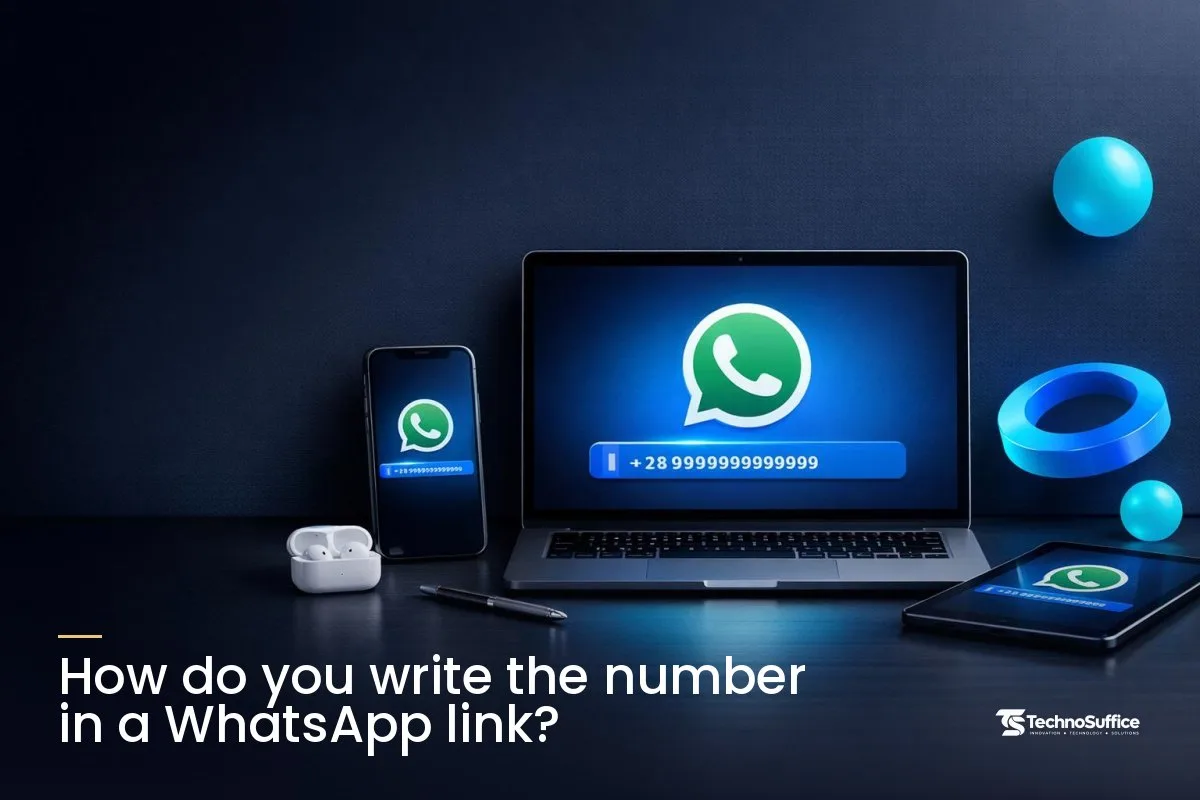
How do you write the number in a WhatsApp link?
Write the country code first, then your number, as one long string of digits. Leave out the plus sign, the leading zero, spaces, dashes and brackets.
Country code first
The country code is the number that shows which country a phone belongs to. For the US and Canada it's 1, and for the UK it's 44. So a US number always starts with 1 in the link, even though you never dial that 1 for local calls.
Remove +, 0, spaces, dashes and brackets
Many countries put a 0 in front of local numbers. This is called the leading zero (or trunk prefix), and you drop it once the country code is in place.
The Dotdigital click-to-chat guide lists the formats that fail for a US number: one with a +, one starting with 00, one with dashes and one with brackets. Only plain digits work.
Number format table
These are example numbers, not real ones.
| Country | How it's written locally | How it goes in the link |
|---|---|---|
| USA / Canada (+1) | (555) 123-4567 | 15551234567 |
| United Kingdom (+44) | 07700 900123 | 447700900123 |
| Pakistan (+92) | 0300 1234567 | 923001234567 |
| India (+91) | 98765 43210 | 919876543210 |
| UAE (+971) | 050 123 4567 | 971501234567 |
How do you add a pre-filled message to a WhatsApp link?
Put ?text= right after the number, then your message with every space and symbol encoded. That's all a WhatsApp link with pre-filled message needs.
What ?text= does
The question mark tells the browser that extra information is coming. The part text= says that information is the message for the chat box, so everything after the equals sign appears as typed text when the chat opens.
URL encoding: common characters
Links can't hold plain spaces or some symbols. URL encoding (also called percent-encoding) swaps each one for a short code that starts with %. These are the codes you'll use most:
| Character | Encoded as | Example in a message |
|---|---|---|
| Space | %20 | Hi%20there |
| Apostrophe ' | %27 | I%27m |
| Exclamation mark ! | %21 | Thanks%21 |
| Question mark ? | %3F | Are%20you%20open%3F |
| Comma , | %2C | Hi%2C%20I%20need |
| Ampersand & | %26 | Cake%20%26%20cookies |
| Hash # | %23 | Order%20%23123 |
| Line break | %0A | Hi%0AName%3A |
The & and # signs cause the most trouble. If you leave them unencoded, the message gets cut off right there. For example, "Cake & cookies" would arrive as just "Cake."
Already have a message written? Paste it into our URL Encoder / Decoder to convert the whole thing in one go.
The customer still taps Send
A pre-filled message is only a draft. Nothing goes out until the person taps Send, and they can change or delete the text first.
That's good for trust, because nobody feels tricked into sending something. It also means your message should sound like something a real customer would happily send.
Create a WhatsApp link in 3 steps with our free generator
Our tool is a wa.me link generator and QR maker on one page. You pick a country, type your number and message, and copy the result.
Step 1: Pick your country code and type your number
Open the WhatsApp Link Generator and choose USA / Canada (+1) from the country list. Then type your number without the leading 0. If you paste a number with spaces or a 0 in front, the tool removes them for you.
Step 2: Write your message
Type your text in the Pre-filled message (optional) box, or tap one of the quick options: Enquiry, Order, Booking or Support. The wa.me link updates as you type, so you can watch it change.
WhatsApp formatting works too: *bold*, _italic_ and ~strikethrough~. The tool handles the encoding, so just write the way you normally would.
Step 3: Copy, test, and grab the QR or button
- Copy puts your finished link on the clipboard.
- Test link opens it, so you can check that the right chat and message appear.
- Download QR saves a QR code (a square picture a phone camera can scan) for print.
- Website button gives you code for a floating chat button. Click Copy code and paste it just before the closing
</body>tag of your site.
Privacy: your number stays in your browser
Your number and message stay in your browser, and nothing is saved on our server. The link and QR code keep working as long as your number is active on WhatsApp.
Which type of WhatsApp link should you use?
For most small businesses, a plain wa.me link with a short message is the right pick. The other types solve narrower problems, like keeping your number out of the link or letting people forward a message.
| Link type | What it looks like | Shows your number in the link? | Best for |
|---|---|---|---|
| Number only | wa.me/15551234567 | Yes | A simple "chat with us" link |
| Number + message | wa.me/15551234567?text=... | Yes | Leads that start with a clear ask |
| Message only | wa.me/?text=... | No number at all | Letting people share a message with any contact |
| Business app short link | wa.me/message/<code> | No, it uses a code | Keeping your number out of public links |
| Long form | api.whatsapp.com/send?phone=...&text=... | Yes | Same job as wa.me, just a longer address |
The message-only link is handy and easy to overlook. WhatsApp's help page explains that it opens a list of contacts, so the person picks who gets the message. That makes it a good "tell a friend" link.
The short link comes from the WhatsApp Business app, which is built for small businesses. Meta for Developers: QR codes and short links shows the same wa.me/message format with a pre-filled message. Keep in mind that once a chat starts, the customer can still see the number you reply from.
Three everyday setups: which link fits?
The right link depends on where people find you and how private your number needs to be. The three situations below are made-up examples, but they match the questions small business owners ask us most.
Scenario 1: A cleaning service that gets leads on Instagram
Picture a home cleaning service in Phoenix, where most new customers find the business on Instagram. The goal: get quote requests that already include useful details. The options: a number-only link, a link with a message, or a Business app short link.
The right choice: a WhatsApp link with custom message, such as "Hi, I found you on Instagram. I'd like a cleaning quote for my home." The first line tells you where the lead came from, and the customer skips the awkward "hi, are you there?" stage.
Now put a slightly different message on your Facebook page, say "Hi, I found you on Facebook." Within a few weeks, you'll see which channel brings more chats.
Scenario 2: A bakery that wants orders from the counter
Next, a small bakery that takes custom cake orders. The goal: let walk-in customers start an order later from home. The options: print the link (too long for anyone to type) or print a QR code.
The right choice: a QR code built from a link with the Order message, placed on the counter, menus and flyers. Scan it yourself before you print a whole stack.
There's one catch, and it's in the WhatsApp Help Center: share your Business QR code: the camera inside WhatsApp only scans official WhatsApp QR codes. So add a small line such as "Scan with your phone camera." If you also want codes for your menu or website, our QR Code Generator works with any link.
Scenario 3: A freelancer who uses a personal phone
Last, a freelance photographer whose WhatsApp number is also their personal number. The goal: take bookings without putting a private number in every bio. The options: a plain link, a Business app short link, or a separate business number.
The right choice: honestly, a separate business number on the WhatsApp Business app. A short link hides the digits in the link, but your number still shows once the chat opens.
If you do want the short link, here's the path on Android: open the Tools tab, tap More (three dots), then Short link. From there you can view the QR code or share the link.
Decision table
| Your situation | Best link | Why |
|---|---|---|
| Leads come from social media bios | Number + message, one message per channel | Clear first ask, and you can see the source |
| Customers visit a shop or see flyers | QR code of a number + message link | Nobody types a long link; one scan opens the chat |
| You don't want your number in public links | Business app short link or a separate number | The link uses a code instead of your digits |
| You want customers to refer friends | Message-only link | Opens a contact list so they pick who to send it to |
| Website visitors with quick questions | Floating website button | Always visible, no plugin needed |
WhatsApp link for business: where to put it
Put your link anywhere a customer might want to ask a question right away. The best spots are your bios, your Google listing, your website and your printed materials.
- Instagram and TikTok bio: paste the link in the website field so it's one tap away.
- Facebook page button: set your page's action button to open your WhatsApp chat link with message.
- Google Business Profile: add it where your profile allows a link. Our Google Business Profile checklist covers the other fields worth filling in.
- Email signature and ads: a short "Chat on WhatsApp" line looks cleaner than a raw link.
- Website: the floating button sits in the corner of every page.
- Print: QR codes on counters, menus, flyers and business cards.
A quick word about US customers: not everyone here uses WhatsApp. It fits best when your customers already do, such as clients abroad or people who keep in touch with family overseas.
If that's not your audience, offer WhatsApp next to your phone number, not instead of it. And keep the link for chats people start themselves. It's not a reason to message people who never asked to hear from you.
Message ideas that get a clear first chat
The best pre-filled message is short, asks for one thing and names your product or service. Customers can edit it, so give them a helpful start rather than a full script.
- Quote request: "Hi, I'd like a quote for a deep clean. My zip code is:"
- Booking: "Hi, I'd like to book a family photo session. My preferred date is:"
- Order status: "Hi, I'm checking on my order. My order number is:"
- Support: "Hi, I need help with my recent purchase. The issue is:"
Ending with a colon is a small trick that works well. It invites the customer to add the one detail you need before they tap Send.
Skip long paragraphs, emojis on every line and sales language. Nobody wants to send a message that sounds like an ad.
Common mistakes and how to fix them
Most broken links come down to the number format or an unencoded symbol. Both take seconds to fix once you know what to look for.
Wrong number format
- A + sign or 00 in front of the number. Remove it.
- Dashes, spaces or brackets. Use digits only.
- The leading 0 kept after the country code. Drop it.
- The wrong country code, or a missing 1 on a US number. Add the right one.
Unencoded symbols
An &, # or line break that isn't encoded cuts your message short. Very long messages cause a different problem, since they're hard to read and edit on a phone. A WhatsApp URL with message works best when the text fits on a couple of lines.
Not testing on a phone and WhatsApp Web
Open the link on your phone, then on a computer with WhatsApp Web. Check that the right chat opens and the message reads correctly. Do this before you print anything.
Same link everywhere
A plain link gives you no data on clicks or replies. If every channel uses the same link, you can't tell whether a chat came from Instagram or your flyer, so the easy fix is a different message per channel.
You may have heard of UTM parameters, which are tags added to a link so analytics tools can show where clicks came from. They help on links to your own website, but WhatsApp chats won't report them back to you.
Frequently Asked Questions
How to create a WhatsApp link with a message?
Type https://wa.me/, your number with the country code, then ?text= and your encoded message. Or let our free generator build it as you type, then click Copy.
How to customize a WhatsApp link with a message?
Change the text after ?text=, or edit the message box in the generator. You can add *bold*, _italic_ or ~strikethrough~ formatting and make one version for each channel.
Does a WhatsApp link expire?
No. The link keeps working as long as the number is active on WhatsApp, and the same goes for the QR code.
Do I need WhatsApp Business to make a wa.me link?
No, any number with an active WhatsApp account works in a wa.me link. You only need the Business app if you want its short link, which uses a code instead of your number.
Does a WhatsApp link send the message automatically?
No, it only fills in the text. The customer can edit it and must tap Send themselves.
Can I make a WhatsApp link without showing my phone number?
Yes, the WhatsApp Business app can make a short link that uses a code instead of your digits. The chat will still show the number you reply from, so a separate business number gives you the most privacy.
Is it safe to use a free WhatsApp link generator?
With our tool, your number and message stay in your browser and aren't saved on our server. Whichever tool you use, test the link before you share it.
Ready to put your WhatsApp link to work?
Start simple. Create your WhatsApp link with a short message, test it on your phone and on WhatsApp Web, then add it to your bio, website and counter.
If you want more than a link, we can help. TechnoSuffice builds websites and apps and runs social media marketing for clients worldwide. Every project gets a dedicated team and project manager, with weekly demos, so you always know where things stand.
SEO and performance are built in from day one, and our post-launch support and maintenance plans keep your site secure and up to date. After a free discovery call, you get a fixed quote with milestones and no hidden costs. See all our web, app and marketing services, or tell us what you need.
Request a Free Quote. Our team replies within one business day.