You print flyers with a QR code and hand them out at a farmers market. A few weeks later, a customer tells you the code opens an "expired" page instead of your website. If you used a free trial site, that's a common surprise.
The fix is simple. A free QR code that doesn't expire is a static QR code. Your link or text is stored inside the black-and-white pattern itself, so there's no account, no server and nothing anyone can switch off.
You can make one in a few minutes with our free QR Code Generator. It builds static codes in your browser, with no scan limits and no subscription.
| Quick answer | Details |
|---|---|
| What you need | A phone or computer with a browser, plus the link or details you want to share |
| Tool | Free QR Code Generator (no sign-up) |
| Time | Usually a few minutes, including a test scan |
| Result | A static QR code as a PNG or SVG file that works for as long as its destination exists |
Do QR codes expire? The short answer
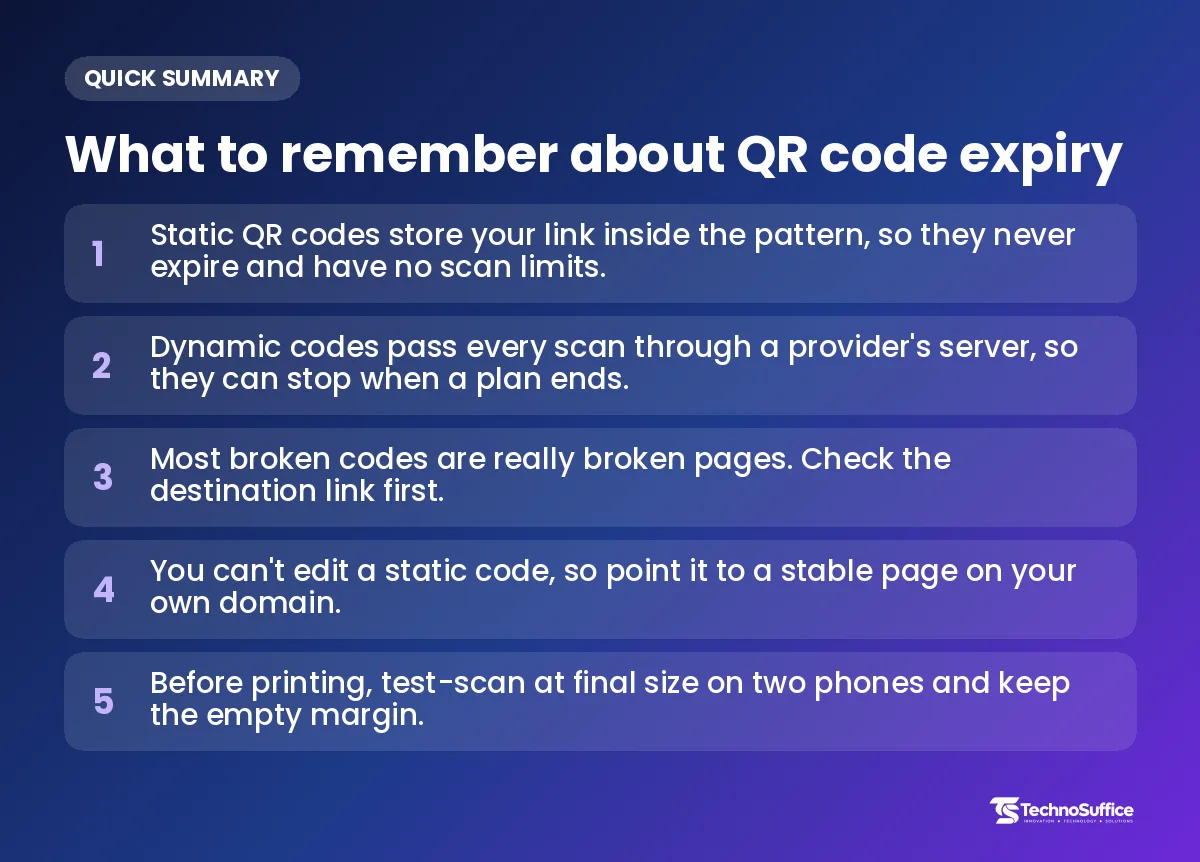
Static QR codes don't expire. Dynamic QR codes can stop working, usually when a free trial ends or a paid plan is cancelled.
Static codes: no expiry date
A static code holds your data directly in its tiny squares. Each square is called a module. When a phone scans the code, it reads the link straight from the pattern, so no company sits in the middle and no company can turn it off.
Dynamic codes: they can stop working
A dynamic code holds a short link owned by the QR maker. When someone scans it, their phone first visits the maker's server, and the server then sends them on to your real page. That stop on the way is called a redirect. If the maker's plan ends, the redirect stops, and so does your code.
Why free trials cause the confusion
Many sites call themselves a "QR code generator" but hand you dynamic codes on a short free trial. Some also cap how many scans each code can get. When the trial ends, the codes go dead.
People then search "do QR codes expire?" and assume every code does. Only codes tied to someone else's server can. The code image itself never wears out. What breaks is the page it opens, or the service that manages it.
Static vs dynamic QR code: what's the difference?
It comes down to where your link lives. In a static code, it lives inside the pattern. In a dynamic code, it lives on the provider's server.
| Feature | Static QR code | Dynamic QR code |
|---|---|---|
| Where the link lives | Inside the code | On the provider's server |
| Expires? | No | Can stop if the plan or trial ends |
| Scan limits | None | Some free plans have a cap |
| Edit the link later | No, you make a new code | Yes |
| Count scans | No | Yes, because scans pass through a server |
| Cost | Free | Usually a paid subscription |
| Privacy | No one logs your scans | The provider sees every scan |
| If the service shuts down | Code keeps working | Code likely stops |
Our honest view: most small businesses, creators and students only need static codes. A dynamic code is worth paying for when you truly need to change the link often or count scans for a campaign.
How to make a free QR code that doesn't expire (no sign-up)
Open the QR Code Generator, pick a type, enter your details and download. You don't need an account, and the static code you get has no expiry date.
Step 1: Choose a type
At the top, pick what the code should open. The options are Website, Text, WiFi, WhatsApp, Email and Phone. For example, a plumber might use Phone for a van sticker, and a café might use WiFi for a table sign.
Step 2: Enter your details
The fields change with the type you picked:
- Website: paste the full web address (URL), including https://.
- WiFi: enter your network name (the WiFi name people see on their phone), your password and your security type.
- WhatsApp: type your WhatsApp number with the country code. For the US, that starts with 1. You can also add a short message that appears ready to send.
- Email: add the email address, plus a subject and message if you want one.
- Phone: enter the phone number.
- Text: type any short text you want people to read.
Want a shareable WhatsApp link as well as a code? Our WhatsApp Link Generator builds the wa.me link for you.
Step 3: Set colors, size and error correction
Pick a QR color and a Background, keeping the code dark and the background light. Choose an Error correction level (explained further down). Then pick a PNG size: 512 px, 1024 px, or 2048 px for print.
Step 4: Scan to test
The tool shows a preview you can scan with your phone camera. Check that it opens the right page, WiFi network or chat. Fix any typo now, not after printing.
Step 5: Download PNG or SVG
Click the PNG or SVG download button. Your static QR code is ready to use.
PNG or SVG: which to pick
PNG is an image made of pixels. Use it for websites, WhatsApp and social posts.
SVG is made of shapes instead of pixels, so it stays sharp at any size. Use it for flyers, banners, yard signs and business cards. If your printer only accepts PNG, choose 2048 px.
How it works in plain words
The tool turns your link or text into a pattern of squares, right inside your browser. Your text is never uploaded to us. That matters most for WiFi codes, because your password stays on your device.
A dynamic service works differently. It has to see every scan to do its job, so it can log them.
Static or dynamic: which one do you need?
Pick static when the link won't change. Pick dynamic only when you must change the link often or count scans. Here's how that plays out in common US situations.
| Situation | Best pick | Why |
|---|---|---|
| Guest WiFi sign at a clinic or café | Static | The password stays in the code, and no server is involved |
| Business card or plumber's van | Static | Phone numbers and home pages rarely change |
| Restaurant menu on a table card | Static | Update the menu page itself and keep the same address |
| Google review card at a small shop | Static | The review link stays the same |
| Farmers market stall | Static | Link to your WhatsApp chat or website |
| Real estate yard sign for one listing | Static, pointing to your own site | Listing pages on other sites may vanish after a sale |
| Product packaging printed in large runs | Static with your own redirect | Reprinting boxes is costly, so keep control of the target |
| Ad campaign where you must count scans | Dynamic | Only server-based codes can count scans |
Middle path: a link on your own domain
Your domain is the web address you own, like yourshop.com. Print a static code that points to a short, stable page on it, such as yourshop.com/menu. If you later need a different target, set up a redirect on your site.
The printed code never changes, yet you stay in control. Our guide to 301 vs 302 redirects explains which type to use.
Avoid printing links from free link shorteners or pages you don't own. If that service changes its rules, your code goes down with it.
Why did my QR code stop working?
Most of the time, the code is fine and the page behind it is gone. Check the destination first, then the print, then the provider.
Work through this checklist in order:
- Open the link in a browser. A 404 error ("page not found") means the page was deleted or moved. Restore it, or redirect the old address to a new page. Our Broken Link Checker can spot dead pages on your site.
- Test with two different phones. If one reads it and one doesn't, the problem is likely the print or the camera.
- Check contrast and margin. Light codes on dark backgrounds, or codes with no empty border, often fail.
- Check for damage. Look for scratches, fading, glare from glossy lamination, or a blurry low-resolution print.
- Check the provider account if it's dynamic. A trial may have ended or a payment may have failed.
Not sure which type you have? Scan it and read the link preview on your phone. A short link from a QR maker's site, instead of your own address, usually means it's dynamic.
Can't edit a static code? Make a new one
A static code can't be edited, and it can't be turned into a dynamic one, because the data is already fixed in the pattern. To change the target, generate a new code. If the old code points to your own domain, you can redirect that address instead.
Common mistakes and fixes
| Mistake | What happens | Fix |
|---|---|---|
| Using a "free" code from a trial site | It stops when the trial ends | Use a free static QR code that does not expire |
| Linking to a page you might delete | Scanners see a 404 error | Use a stable page on your own domain |
| Light code on a dark background | Some phones struggle to read it | Use a dark code on a light background |
| No empty border around the code | Scans fail or take a long time | Keep a margin of four modules on every side |
| Small, low-resolution PNG in print | The code looks blurry | Use SVG or the 2048 px PNG |
| Big logo in the middle | The code becomes unreadable | Keep the logo small, choose High, and test |
| Typo in the URL | The wrong page opens | Test-scan before you print |
Pro tips: error correction and printing so your code lasts
Three habits prevent most problems. Choose the right error correction level, keep the empty margin, and test at full size before printing.
L, M, Q, H in plain words
Error correction is extra hidden data inside the code. It lets a phone read the code even when part of it is dirty or damaged. According to DENSO WAVE's QR Code standards page, there are four levels:
- Low (7%): fine for clean screens.
- Medium (15%): a good default for most uses.
- Quartile (25%): good for print that gets handled a lot.
- High (30%): best for outdoor signs or codes with a logo.
Denso Wave invented the QR code in Japan in 1994 and made its specification public. QR codes follow an international standard called ISO/IEC 18004. Higher levels make the pattern denser, so pick High only when you need it.
Logos and stickers: keep them small
"30%" doesn't mean you can cover any 30% of the printed code. The percentage applies to small chunks of data inside the code, called codewords. Cover the wrong spot and the code fails.
So keep logos small and away from the three big corner squares. Then test the code before you use it.
Quiet zone and a test scan before you print
The quiet zone is the empty margin around the code. DENSO WAVE's guide to the QR Code area asks for a blank border four modules wide on all sides. Don't let text or images crowd it.
Before you print a big batch, print one copy at the final size. Scan it with two phones, from the distance people will really stand. For example, a yard sign is read from farther away than a business card, so it needs a bigger code.
Keep printed QR codes safe
Check your printed codes now and then. Scammers sometimes stick fake QR codes over real ones.
Check signs for fake stickers
The FTC says people have reported fake codes pasted over real ones on parking meters. A fake code can send people to a phishing site, which is a fake website built to steal their details. If your code sits on a public sign, window or table, look at it from time to time. Make sure it's still your code and still opens your page.
What to do if someone scanned a bad code
The FTC consumer alert on QR codes gives simple advice. Read the link preview before you open it, and look for spelling mistakes or switched letters. Keep your phone and apps updated.
Use strong passwords and turn on multi-factor authentication, which asks for a second check like a text code. If you typed a password into a suspicious page, the FTC advises changing it right away. Report problems at ReportFraud.ftc.gov.
Frequently Asked Questions
Do free QR codes expire?
Free static QR codes don't expire. Free dynamic codes often do, because they usually run on a trial that ends. If a site asks for a card or an account, or mentions a "trial" or "scan limit," the code is probably dynamic.
Does my QR code expire?
It depends on how it was made. Scan it and check the link preview. If it shows your own web address, it's static and won't expire. If it shows a short link from a QR company, it's likely dynamic and tied to that company's plan.
How do I create a free QR code that does not expire?
Use a static QR code generator. Open our free QR Code Generator, choose a type, enter your details, test the preview, and download PNG or SVG. There's no sign-up and no scan limit.
Can I change the link in a QR code after printing?
Not with a static code; you'd need to make a new one. To keep that option open, point your code to a page on your own domain. Then you can redirect that page later.
Is there a scan limit on QR codes?
Static codes have no scan limit. Some free dynamic plans cap scans per code. Our codes are static, so people can scan them as many times as they like.
Can I turn a static QR code into a dynamic one?
No. The data is already fixed in the pattern. If you need editing or scan counts, you have to create a new dynamic code.
Can I use a free QR code for my business?
Yes. Our codes are free, with no watermark and no expiry. Denso Wave also waived its patent rights for standard QR codes, so the technology itself is open to everyone.
Need a page your QR code can point to?
A static QR code works for as long as the page behind it stays live. So the real job is keeping that page fast, secure and online.
That's where our team comes in. We've delivered 491+ projects over 10+ years for clients worldwide. Our web development service builds fast-loading, mobile-friendly websites and landing pages with SEO and performance built in from day one.
Every project gets a dedicated team, a project manager and weekly demos, so you always see progress. After launch, our maintenance plans cover updates, security patches, backups and performance monitoring. That helps keep your QR code destinations from turning into 404 pages.
Need a code today? Make one now with the free QR Code Generator. Planning a website, landing page or custom web app? Book a free discovery call and get a fixed quote with clear milestones and no hidden costs. Our team replies within one business day.