NIST, the US agency that writes the official password rules, now says a password that guards an account by itself should be at least 15 characters long. Many of us learned to stop at 8, so that's a real change.
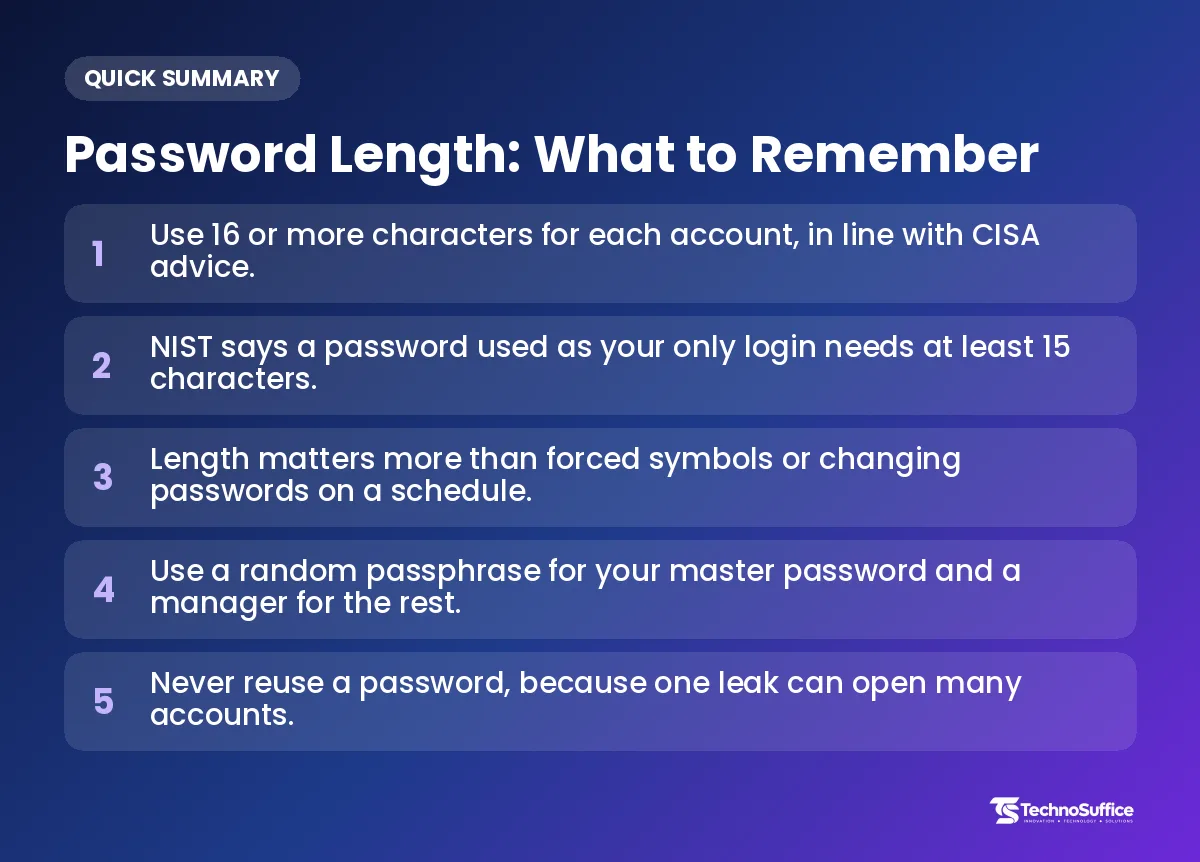
So, how long should a password be? We suggest 16 characters or more. Each password should be random and used for only one account. Sixteen clears NIST's 15-character floor and matches the 16-character advice from CISA, so one number covers both US agencies.
You can make one in a few seconds with our free Strong Password Generator. There's no sign-up, and the password is created on your own device, not on our server. Below, we answer the questions people ask most, including what the rules say, whether 12 characters is enough, and which habits weaken a strong password.
How Long Should a Password Be? The Quick Answers
For almost every account, use at least 16 random characters, and never use the same password twice. The tables below sum up the main answers, and the sections after them explain the "why."
What are the short answers to the most common password questions?
Most answers fit on one line, so here they are side by side.
| Question | Short answer |
|---|---|
| How long should a password be? | 16+ characters, random, unique for each account |
| NIST minimum when the password is your only login | 15 characters |
| NIST minimum when you also use MFA | 8 characters |
| Longest password a site should accept (NIST) | At least 64 characters |
| CISA advice | At least 16 characters, random and unique |
| Is 12 characters enough? | Only as a fallback with MFA turned on; choose 16 if you can |
| Do I have to use symbols? | NIST says sites shouldn't force them; length matters more |
| Should I change passwords every 90 days? | No. Change a password when there's a sign it leaked, not on a timer. |
| Best type for a master password | A passphrase of random words (our tool starts at 6) |
What is a strong password length for email, banking and Wi-Fi?
A strong password length for nearly every account is 16 characters or more. What changes is the best type, because some passwords get pasted by an app and others get typed by hand. We built this table from NIST and CISA guidance, not from our own lab tests.
| Account | Suggested length | Best type | Extra tip |
|---|---|---|---|
| 16+ characters | Random, saved in a password manager | Turn on MFA. Your email can reset all your other accounts. | |
| Bank and payment apps | 16+ (or the longest allowed) | Random | Turn on MFA, and use a passkey if the bank offers one. |
| Social media | 16+ characters | Random | Turn on MFA. Never reuse your email password here. |
| Home Wi-Fi | 16+ characters | Random with "Avoid look-alikes" on, or a passphrase | You type it on TVs and printers, so easy-to-read characters help. |
| Password manager (master password) | 6+ random words | Passphrase | This is the one password you must remember. Never use it anywhere else. |
| Computer login | 16+ characters or a 6-word passphrase | Passphrase | You type it every day, so words are easier than symbols. |
| Phone PIN | As long as your phone allows | Random digits | Avoid patterns like 123456, and don't reuse it. |
| Old site with strict limits | The longest it allows | Random, with Symbols off if needed | Turn on MFA to make up for the short limit. |
A password manager is an app that stores your passwords and fills them in for you. A passkey is a login that uses your phone or computer lock (your face, fingerprint or device PIN) instead of a typed password. If an important account offers a passkey, we think it's worth turning on.
What Do the NIST Password Guidelines Say?
NIST says a password used on its own must be at least 15 characters, and sites should accept passwords of at least 64 characters. It also tells sites to stop forcing symbols and scheduled password changes.
What is NIST, and who are its rules for?
NIST is a US government science agency. Its password rules are written for websites and services, not for you directly. The latest version is called SP 800-63B-4, and it was published in 2025.
The rulebook speaks to the "verifier," which is the website or service that checks your password when you log in. Picture a bouncer with a minimum height rule: 15 characters is the lowest a site should let through, not the height you should aim for. You can read the full NIST SP 800-63B-4 password rules on the NIST website.
Why does NIST say 15 characters, and when is 8 allowed?
NIST asks for 15 characters when the password is your only proof of who you are. It allows a lower floor of 8 characters when the password is just one part of a multi-factor login.
A login with only a password is called single-factor authentication. If someone guesses that password, they're in. With MFA (multi-factor authentication), you also need a second proof, like a code sent to your phone.
MFA works like a front door with two locks. A thief who picks the first lock still faces the second, so the first lock carries less of the load. The two numbers are easy to mix up, so keep the rule simple: 8 only with MFA, 15 without it.
How long can a password be under NIST rules?
NIST says sites should let you use a password of at least 64 characters. The goal is to make room for long passphrases, which we cover further down.
NIST also counts each Unicode character as one character. Unicode is the system computers use to show letters from every language. So a letter with an accent, or a letter from another alphabet, counts as one character, just like "a" does.
Does NIST still want symbols and regular password changes?
No. NIST tells sites not to force either one. The old "must have one capital, one number and one symbol" rules are called composition rules, and NIST now says sites shouldn't require them.
Why drop them? NIST notes that extra rules frustrate people. A frustrated person tends to pick something easy to remember that technically passes, like a season plus a year plus an exclamation mark. NIST says these steps work better against modern attacks:
- A blocklist: a list of common or leaked passwords that the site refuses to accept.
- Hashing: a way to scramble passwords before saving them, so the real password isn't stored.
- Random passwords made by a machine, not chosen by a person.
- Rate limiting: a cap on how many login tries someone can make.
The 2025 rules also drop forced changes on a schedule. A site should ask you for a new password when there's evidence the old one leaked, not just because a set number of days has passed.
What Does CISA Recommend, and Which Number Should You Follow?
CISA says a strong password is at least 16 characters, random, and unique to each account. Follow 16, because it meets both the CISA and NIST advice at once.
What does CISA say makes a password strong?
CISA uses three words: long, random and unique. CISA is the US agency that helps protect the country's online systems, and it writes plain safety tips for the public.
According to CISA: Use Strong Passwords, "random" can mean a random string of upper and lower case letters, numbers and symbols. CISA's training page, CISA: Formulate Strong Passwords and PIN Codes, also lists a passphrase made of several unrelated words as another way to be random.
CISA is honest about the catch. Most people can't create and remember a long, random, unique password for every account, so CISA recommends a password manager.
NIST says 15 and CISA says 16. Which is right?
Both are right, because they answer different questions. NIST tells websites the shortest password they should accept. CISA tells you, the user, what to aim for.
Our advice is to pick 16 or more, which clears NIST's floor and matches CISA's target. If a password manager fills it in, a longer password costs you nothing, because you never type it. Our tool's help text calls 14 to 16 characters or more strong, but we suggest 16 or more, in line with CISA.
Is a 12-Character Password Strong Enough?
Usually not, if the site lets you go longer. Twelve is above NIST's 8-character floor for MFA logins, but below its 15 for password-only logins and below CISA's 16.
When is a 12-character password okay?
A 12-character password is okay only when a site won't accept anything longer and you've turned on MFA. In that case, the second factor helps make up for the short limit.
If the site allows 16 or more, use 16 or more. There's no good reason to stop at 12 when a generator creates the password and a manager remembers it for you.
Why does length beat symbols?
Every extra character multiplies the number of guesses an attacker needs. A bigger mix of character types only makes each position a little harder to guess.
A bike lock with number dials shows why. Each dial you add multiplies the number of possible codes. Adding symbols to a password is like making each dial a bit wider, while adding length bolts on whole new dials. Both help, but length is the easier and bigger win.
Security experts call this unpredictability entropy, a score for how hard a password is to guess. More entropy means a brute force attack, where a program tries huge numbers of passwords very fast, needs far more time to succeed.
Does MFA change how long a password should be?
MFA lowers the minimum NIST asks sites to require, but we'd still keep your password at 16 or more. MFA is a second lock, not a reason to make the first one weak.
The reason is what happens after a data breach. Sometimes a site's whole list of scrambled passwords gets stolen. Thieves can then run an offline attack, cracking those passwords on their own computers with no limit on guesses, and a long password holds up much better there, with or without MFA.
Password vs Passphrase: Which Should You Use?
Use random passwords for accounts stored in a password manager, and a passphrase for the few things you must type from memory. Both are strong when they're long and truly random.
What is the difference between a password and a passphrase?
A random password mixes single characters, while a passphrase joins random words. A random password might look like q7#Lm2vR9x!Tb4Wz. A passphrase looks more like river-candle-orbit-mango-lantern-pebble.
Passphrases are longer, but much easier to remember and type. The catch is that a generator must pick the words at random. Song lyrics, quotes and words you choose yourself are far easier to guess, because people tend to reach for the same familiar words.
When should you use a random password?
Use a random password for every account your password manager fills in for you. You never type these, so it doesn't matter that they're hard to read. That covers most of your accounts, such as shopping, streaming, social media and work tools.
When is a passphrase the better pick?
Pick a passphrase for your password manager's master password, your computer login, and anything else you type by hand. You can't copy and paste these, so being easy to remember really matters.
The master password deserves extra care. It's like the key to a cabinet that holds all your other keys. For it, we suggest 6 random words, which is our tool's default.
How to Create a Strong Password With Our Free Generator (No Sign-Up)
Open the tool, pick a type, keep the length at 16 or more, create the password, and save it in your password manager. It works in your browser, and you don't need an account or an email address.
How do I make a random password with the tool?
Follow these steps in the free password generator.
- Open the tool and pick the random password option.
- Check the Length setting. It starts at 16, which is our pick, so go higher for important accounts if the site allows it.
- Leave Uppercase, Lowercase, Numbers and Symbols turned on. If a site rejects symbols, turn Symbols off.
- Turn on Avoid look-alikes if you'll type the password by hand, for example on a smart TV. It's meant for cases where characters like the number 0 and the letter O are easy to confuse.
- Create a new password with the tool's generate button.
- Look at the strength meter to see the entropy and the estimated crack time.
- Copy the password and save it in your password manager before you close the page.
How do I make a passphrase with the tool?
Switch modes and the settings change to words instead of characters.
- Switch to Passphrase mode.
- Check the Words setting. It starts at 6, which we suggest for a master password.
- Pick a Separator: Hyphen, Dot, Underscore, Space or None.
- Turn on Capitalize if the site asks for capital letters.
- Turn on Add a number if the site asks for a digit.
- Create the passphrase and check the strength meter.
- Practice typing it a few times so it sticks before you rely on it.
Can I make several passwords at once?
Yes. The bulk option creates 5, 10, 25 or 50 passwords in one go, and Copy all copies the whole list. For example, it's handy when you set up new accounts for a small team, or move several old logins to fresh passwords on the same day.
What do the strength meter and crack time mean?
The meter shows the password's entropy and an estimate of how long it would take to crack. The estimate assumes 10 billion guesses per second, which is a very fast offline attack.
Treat it like a stopwatch set for a worst-case attacker. It's a useful guide for comparing options, such as 12 characters against 16, but it isn't a promise. A password you reuse, or one that has already leaked, can still be at risk however long it is.
Is it safe to make passwords in an online tool?
That's a fair question to ask about any generator. Ours creates passwords on your device using Web Crypto, a security feature built into your browser that makes random numbers for secrets. The passwords are never sent, logged or stored by us.
In plain terms, the password is made on your side of the counter and never handed over. Once you close the page, the only copy is the one you saved.
Which Habits Make a Strong Password Weak?
Even a long password loses its strength if you reuse it or build it from something guessable. These are the habits that undo good work.
Why is reusing a password so risky?
Reuse turns one leak into many. Using the same password everywhere is like having one key for your house, car and office. Lose it once, and every door is open.
That's why CISA puts "unique" next to "long" and "random." For example, if a small shopping site leaks your password and it matches your email, a thief can try it there next. From your email, they could then reset your other accounts.
Why are personal details and clever patterns a bad idea?
Anything a person picks tends to follow a pattern, such as a pet's name, a birthday or a favorite team. NIST points to machine-made random passwords and blocklists of common passwords because human choices are easier to predict.
The same goes for small tricks, like swapping a letter for a number or adding "!" at the end. They feel clever, but they're still a pattern someone chose. A random password from a generator has no pattern to find.
What about PINs and short codes?
CISA's advice for PINs follows the same idea on a smaller scale. Make the PIN as long as your device allows, keep it random rather than something like 123456, and don't reuse it on other cards or devices.
Frequently Asked Questions
Is 8 characters still a safe password length?
Only as a minimum on sites that also use MFA, and that's a floor for websites, not a target for you. Without MFA, NIST's minimum is 15 characters. We suggest 16 or more for every account.
How many words should a passphrase have?
We suggest 6 random words, which is the default in our tool. CISA lists several unrelated words as a strong option. The key is that a generator picks the words, not you.
Do I need to change my passwords regularly?
No. Under the 2025 NIST rules, sites shouldn't force changes on a schedule. Change a password when there's a sign it leaked, such as a breach notice from the company.
Do I have to use symbols in my password?
Not by NIST's rules, which tell sites not to force them. Symbols still add some strength, so leave them on unless a site rejects them. If you must turn them off, add length to make up for it.
Should I use a password manager?
Yes, for most people. CISA recommends one because few of us can remember a long, random, unique password for every account. You then only need to remember one strong passphrase.
Is your password generator really free?
Yes. It's a free online tool with no sign-up, and it works in your browser. It's one of the 123 free tools we offer.
Ready to Make Your Next Password?
The rule is short: 16 or more characters, random, and never reused. Let a generator create the password and a password manager remember it, and save your memory for one strong passphrase.
If you run a business website, the same thinking applies to your customers' logins. Our team builds fast-loading, mobile-friendly sites that follow OWASP security practices (a widely used set of web security guidelines), with SSL and regular backups, and we support clients worldwide after launch. Request a Free Quote to talk it through with us.
For now, try our free Strong Password Generator and make your first 16-character password in seconds.