Your page can show up in Google and still get skipped. Often the problem is the title or description people see in the results. These two short tags won't push your page up the rankings. They work like a tiny ad that decides whether someone clicks.
Here is the short answer on how to write meta title and meta description tags. Keep the title around 50–60 characters, with your main keyword near the start. Keep the description around 120–160 characters, with a clear summary and a reason to click. Both ranges are rules of thumb, not official Google limits.
Want to see the result while you type? Our free Meta Tag Generator shows a live Google preview and warns you when your text gets too long. It also gives you ready-to-paste code. There's no sign-up, and it works in your browser.
Signs your meta titles and descriptions need work
Some search results look cut off, show text you never wrote, or get few clicks. When that happens, your meta tags are a likely cause. Watch for these signs:
- Your title ends with "..." in Google because it was too long.
- Google shows a random sentence from your page instead of your description.
- The browser tab just says "Home" or only your site name.
- Google Search Console shows that many people see your page in results, but few click it. (Search Console is Google's free tool that shows how your pages perform in search.)
- When someone shares your link on Facebook or WhatsApp, there's no image, or the wrong one appears.
Each sign has a clear cause and a simple fix. The table further down matches every problem to its fix.
What are a meta title and a meta description?
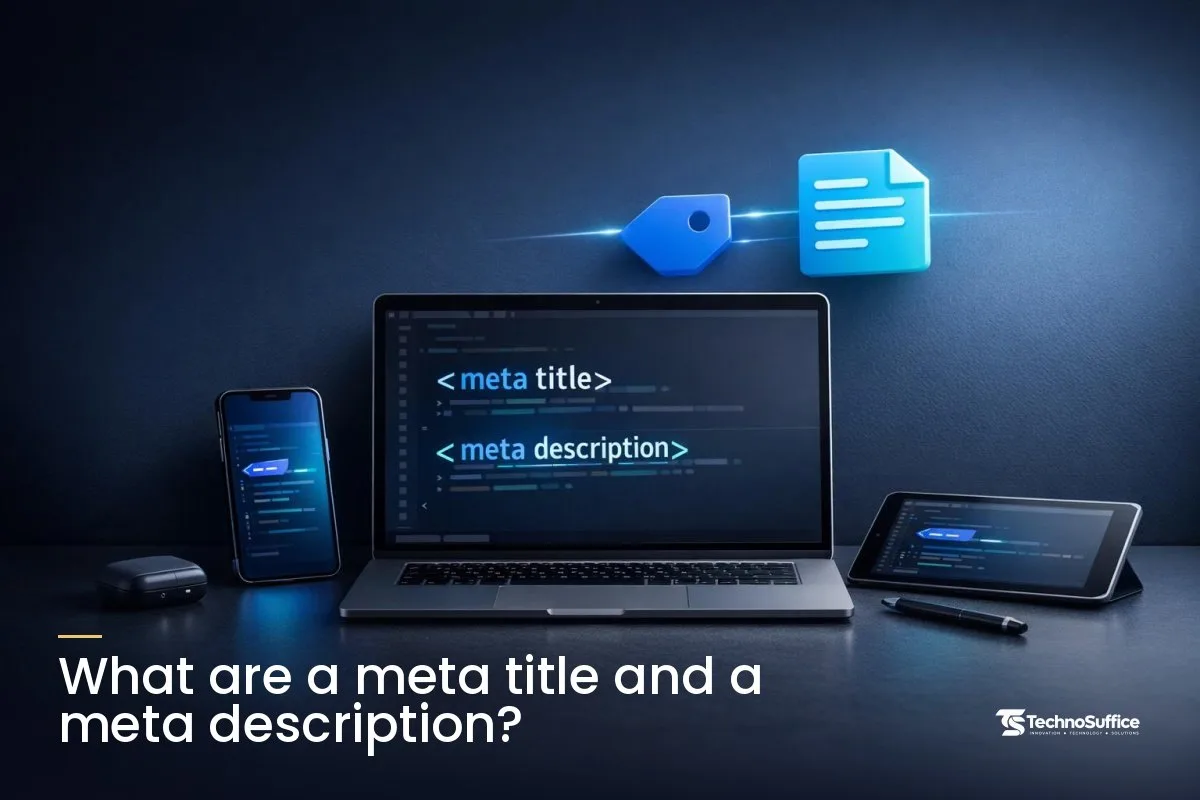
They're two short pieces of HTML code. HTML is the code that builds a web page. These two pieces tell search engines and social sites what your page is about, but visitors don't see them on the page itself.
What each one is, in plain words
The meta title is the name of your page. In the code, it sits in the <title> element, which is why it's also called the title tag. Both names mean the same thing.
The meta description is a short summary of the page. In the code, it looks like <meta name="description" content="...">.
Both go in the HTML head, the hidden top part of a web page where settings and labels live. Most website builders give you two simple boxes for them. So you rarely need to edit code.
Where they show up
- Google results: The title is the base for the blue clickable headline. The description may appear as the gray text under it, called the snippet.
- Browser tabs: The title appears on the tab and in bookmarks.
- Social shares: Facebook, LinkedIn and X can use them too, though they prefer special share tags. We cover those near the end.
Do they help rankings? What Google says
Their real value is clicks. Google's guide to title links says the title is often the main thing people use to decide which result to click.
Descriptions work differently. Google's snippet documentation says snippets are mainly built from the page's own content. Google uses your meta description only when it describes the page better. Google rewrote this guidance on January 5, 2024, to make page content the main source.
So don't treat the description as a ranking lever. Treat it as a pitch. Its only job is to win the click.
How long should a meta title be?
Aim for about 50–60 characters. On desktop, that's roughly 580–600 pixels wide, which is the range our tool uses. Again, this is a rule of thumb, not an official Google limit.
Characters vs pixels
Google cuts titles to fit the width of the screen, so letter count is only a rough guide. A capital "W" takes far more room than a lowercase "i." Two titles with the same number of characters can look very different in the results.
For example, a title written in all capital letters may get cut much sooner than the same words in normal case. That's why our generator has a pixel-width meter. It measures characters and pixels, so you can spot a cut-off title before you publish.
Why Google sets no hard number
Google doesn't give a fixed character limit for titles. Its docs simply say to avoid very long titles, because they're likely to be cut to fit the device. The 50–60 range is what most SEO guides use as a practical target.
Title tag vs title link
Your title tag is what you write in the code. The title link is Google's name for the blue headline it actually shows. Usually the two match, but not always. A clear title that describes the page gives Google the best reason to use your words.
How long should a meta description be?
About 120–160 characters works well for most pages. It's long enough to say something useful and short enough to fit most screens.
Why the advice differs
Different SEO sites suggest different numbers. Some say 150–160 characters, and others say about 155. None of these are Google rules. Our tool uses 120–160, which covers all of them.
Put the key point first
If Google shortens your description, it cuts the end. So lead with what the page offers and who it's for. Put small details last, where losing them won't hurt.
Why Google may show something else
Google says the same page can show different snippets for different searches. Say someone asks a question your description doesn't answer. Google may pull a better-matching sentence from your page instead. That's normal, and it isn't a penalty.
Why Google cuts, ignores or rewrites your tags: the real causes
Most problems come down to a few causes. The tag is too long, too vague, copied across pages, or doesn't match the page. Here's how to spot and fix each one.
The text is too wide
Long titles get an ellipsis ("...") at the end, which is called truncation. Your keyword or brand name can disappear from the result. The fix is to trim the title and check it in a preview.
The same description is on every page
Text copied onto many pages is called boilerplate. Google has said identical descriptions across a site aren't helpful, and it's less likely to show them. Many website templates do this by default, so check yours.
Keyword stuffing
Keyword stuffing means repeating the same words over and over. For example: "Plumber Austin, Austin Plumber, Best Plumber Austin." It reads like spam to real people, and spam doesn't get clicks.
Vague titles like "Home" or "Profile"
Google's title guidance names these words as ones to avoid. "Home" tells a searcher nothing about your business. "Brightline CPA | Small Business Bookkeeping in Denver" tells them everything.
The title doesn't match the page
Picture a title that promises "10 recipes" on a page with only three. Searchers feel misled, and Google may show a different headline. Make the page deliver what the title says.
The tag is missing or empty
Google's title guidance says every page should have a <title>. Without a description, Google simply picks text from the page. That may not be the part you'd choose.
Noindex was set by accident
A robots meta tag gives search engines instructions about a page. noindex tells them not to list it, and nofollow tells them not to follow its links. A page with noindex stays out of Google's results.
This often happens when a new site keeps its test settings after launch. Check your live pages for it right after any redesign.
There's one more catch. Robots.txt is a small file that tells search engines which parts of your site to skip. If a page is blocked there, Google never crawls it, meaning it never visits and reads the page. So it never sees the page's meta tags, including noindex.
Cause → fix table
| Cause | What you see | Fix |
|---|---|---|
| Title too long | "..." at the end of the title | Cut to about 50–60 characters and check the pixel meter |
| Duplicate descriptions | Google shows random page text | Write a unique description for each important page |
| Empty or missing tags | Odd titles or snippets in results | Fill in both fields in your CMS or page head |
| "Home" as the title | Weak, generic result | Name your business and what you do |
| Keyword repeats | Spammy look, few clicks | Use the main keyword once, in natural words |
| Title doesn't match page | Google shows a different headline | Make the title describe what's really on the page |
| Every description starts "This post will..." | Dull, same-sounding results | Open with the benefit or answer |
| No call to action | People read but don't click | End with a short next step, like "See prices" or "Book online" |
| Noindex left on | Page missing from Google | Switch to "Allow indexing" on pages you want found |
A CMS (content management system) is the software you use to edit your site, such as WordPress or Shopify.
How to write meta title and meta description tags that get clicks
The title names the page. The description sells the click. Both should match what the searcher is looking for, which is called search intent.
Title tag best practices
- Say what the page is about. Be specific. "Sourdough Gift Box" beats "Our Products."
- Put the keyword early, but keep it natural. Words at the start are less likely to be cut, and they're easier to scan.
- Add your brand at the end when there's room. A short " | Brand Name" works on most pages. On your homepage, the brand can go first.
- Make every title unique. Two pages with the same title look identical in results, so searchers can't tell which one they need.
How to write a meta description for SEO
- Summarize the page in one or two sentences. Say what the reader gets.
- Use the main keyword once. It shows searchers right away that your page matches what they typed.
- Use active words. Start with a verb or the answer. Skip openers like "This post will discuss..."
- End with a next step. "Get a free estimate," "See the full list" or "Order by Friday" gives people a reason to act.
- Write for a person, not a robot. Read it out loud. If it sounds odd, rewrite it.
For more description patterns, see our guide on how to write a meta description with examples.
Meta tag examples (before and after)
The businesses below are made up. They only show the pattern, so swap in your own details.
Blog post
Before: Blog | Green Home Tips / "This post will talk about some ways to save energy."
After: How to Lower Your Summer Electric Bill: 9 Easy Fixes / "Cut cooling costs with 9 simple fixes, from thermostat settings to window shades. Most take under an hour. See the full list."
What changed: the title now answers a real search, and the description opens with the benefit.
Local service page (Austin, Texas)
Before: Services / "We offer many plumbing services to our customers."
After: Emergency Plumber in Austin, TX | Lone Star Plumbing / "Burst pipe or no hot water? Our Austin plumbers handle leaks, drains and water heaters. Call now or book online."
What changed: service and city come first, and the description names the customer's problem.
Product page (Portland bakery)
Before: Product 14 / no description.
After: Sourdough Gift Box, Baked Fresh in Portland | Rose City Bakery / "Three fresh sourdough loaves in a gift box, baked the day they ship. A warm, simple gift. Order by Thursday for weekend delivery."
What changed: a real product name replaces a code, and the description ends with a clear deadline.
Homepage (small accounting firm)
Before: Home / "Welcome to our website."
After: Brightline CPA | Small Business Bookkeeping in Denver / "Bookkeeping, payroll and tax prep for Denver small businesses. Clear monthly reports and real people to talk to. Book a free call."
What changed: brand first, then the main service and city. "Welcome" is gone.
Quick table: what to write for each page type
Each page type needs its own pattern. Use this table as a starting point.
| Page type | Title pattern | Description pattern | Keyword focus |
|---|---|---|---|
| Homepage | Brand | Main service + location | What you do, who for, one next step | Main service |
| Blog post | The question or promise, keyword first | The answer in short + what's inside | The exact topic people search |
| Product | Product name + key feature | Brand | Main benefit, one detail, buy or shipping prompt | Product name |
| Local service | Service in City, State | Brand | Problem you solve, area served, call or book | Service + city |
| Tool page | Free Tool Name (No Sign-Up) | Brand | What it does, how fast, "try it free" | Tool name + "free" |
Step by step: make your tags with our free Meta Tag Generator
Open the Meta Tag Generator. You fill in a few boxes, check the previews and copy the code. Here's each step.
1. Fill in title, description, URL, brand and share image
Type your text into Page title and Meta description. Then add your Page URL (canonical). A canonical URL is the main web address for a page, used when several links lead to the same page.
Next, add your Site / brand name and a Share image URL. The tool suggests an image of 1200 × 630 px.
2. Check the Google desktop and mobile previews
Click the Google and Mobile tabs. The previews update as you type, and length warnings show when text will be cut. Trim your text until the warnings clear.
3. Choose content type, index and follow settings
Pick a Content type: Website, Article / blog post, Product or Profile. Under Search engines, keep Allow indexing for any page you want found. Under Links on the page, keep Follow links unless you have a clear reason not to.
Need more? Open More options to set language, author, theme color or Allow large image previews.
4. Check the Facebook and X previews
Click the Facebook and X tabs to see your share card. Add your X / Twitter username if you have one.
5. Copy the code and paste it in the head
Click Copy code and paste the tags inside the <head> of your page. On WordPress or Shopify, you can usually copy the title and description into the SEO fields instead. Click Reset to start on a new page.
Privacy: it runs in your browser
The tool builds everything in your browser, and nothing goes to our server. Your inputs are auto-saved in your browser, so you can come back later and pick up where you left off.
Social share tags: Open Graph and X
Open Graph tags control the title, image and link people see when your page is shared on Facebook, LinkedIn, WhatsApp and similar apps. X has its own card tags that do the same job on X.
The four required Open Graph tags
The Open Graph protocol lists four required properties: og:title, og:type, og:image and og:url. Like other meta tags, they go in the head. Our generator writes them for you from the fields you already filled in.
Share image size: 1200 × 630 px
Our tool suggests an image of 1200 × 630 pixels, a wide shape about twice as wide as it is tall. Keep important text and logos away from the edges, because some apps crop the image a little. Then check the Facebook and X previews before you publish.
How to prevent these problems next time
Tags go stale when pages change. A short routine catches most issues before they cost you clicks.
Run the Website SEO Checker
Our free Website SEO Checker scores a page and gives clear fixes. Use it to spot missing titles or descriptions that run too long. Then fix them with the generator.
Update old posts
Changed a page's topic, price or offer? Change its tags too. An old title that no longer matches the page gives Google a reason to show something else.
Skip what you don't need
Google's list of meta tags it supports says "index, follow" is the default, so you don't have to write it. Many tutorials still tell you to add it. You can also leave out the old meta keywords tag, because it doesn't help your Google results.
Related free tools
The Schema Markup Generator creates JSON-LD code. That's extra code that tells search engines facts about a page, such as FAQs, products or business details. The Robots.txt Generator helps you control which parts of your site search engines can crawl.
Frequently Asked Questions
How long should a meta title be?
Aim for about 50–60 characters, or roughly 580–600 pixels on desktop. That's a rule of thumb. Google sets no fixed limit, but it says very long titles are likely to be cut.
How long should a meta description be?
About 120–160 characters works for most pages. Put the most useful words first, in case Google shortens it.
Is a meta title the same as a title tag?
Yes, they're two names for the same thing. Google calls the headline it shows in results the "title link," and it may differ from your tag.
Does Google always use my meta description?
No. Google mainly builds snippets from your page content. It uses your description when that describes the page better, and the snippet can change from one search to the next.
Do meta keywords still matter?
No. The meta keywords tag won't help your Google results, so our generator leaves it out by default.
Where do I put meta tags in my HTML?
Put them inside the <head> section of each page. On most website builders, you just fill in the SEO title and description fields instead.
Is my data safe in the Meta Tag Generator?
Yes. The tool builds everything in your browser, and nothing is sent to our server.
Next step: get help with on-page SEO
Write a clear title and a short, honest description. Check both in a preview before you publish. That habit alone fixes most of the problems above, so try it now with our free Meta Tag Generator.
Got dozens of pages to fix? Or want a site that's set up right from the start? Our SEO services team can help. We build SEO and page speed in from day one, and every project gets a dedicated project manager and weekly demos.
We also offer post-launch support and maintenance, and we work with clients worldwide. After a free discovery call, you get a fixed quote with clear milestones and no hidden costs.
Request a Free Quote and tell us what you'd like to improve. Our team replies within one business day.